
Know which supplier bills are unpaid before the next payment run. This free accounts payable template brings vendors, bills, payments and aging into a seven-sheet Excel workbook, with a dashboard and a walkthrough video. Create a free ReconScribe account to download it, then keep one file per company and reconcile it to your accounting ledger each month.
Late payments quietly cost real money: missed early-payment discounts, late fees, strained vendor relationships, and a cash position you can never quite trust. This workbook fixes the root cause by giving your payables one source of truth.
A free reconscribe.com account unlocks the download. Sign in, grab the Excel workbook, and start tracking vendors, bills and payments in minutes.
Download the Excel workbookSign in to download
Login is required to download. The file is a standard .xlsx, no macros, and works in Excel, Google Sheets and LibreOffice Calc.
Free account required for the workbook: use the download panel above to sign in or create your free account, then download the file. The guide can be read without an account.
What this accounts payable template does
Most free payables spreadsheets are a single flat list. This one is a small system. It links vendors, purchase orders, bills and payments together, then rolls everything into a live dashboard. Enter a bill once and it flows into the aging report, the open balance, the days payable outstanding and the vendor summary automatically. You stop re-keying numbers and start trusting them.
It ships with realistic sample data for a fictional company called Northwind Trading Co. so you can see how a fully populated file behaves. Clear the samples, drop in your own vendors and bills, and it becomes your live accounts payable tracker.
Inside the workbook: 7 sheets that run your payables
The accounts payable template is organised into seven tabs, each with a single job. The cream coloured cells are the only ones you type into. Everything else calculates for you.
- Instructions: a one screen guide so anyone on your team can pick up the file and use it correctly.
- Settings: your control panel. Set your company name, reporting date, currency, number format and the aging buckets (30, 60, 90 days). Change a value here and every sheet title and metric updates.
- Vendor Master: one row per supplier with ID, name, category, contact, email, phone and address. This is the backbone that every bill and payment links to.
- Purchase Orders: optional. Log POs, their status and amount, then link bills back to them so you can match what you ordered to what you were billed.
- AP Subledger: the heart of the file. Every bill goes here with its vendor, PO, AP account, expense GL account, payment terms, dates and amount. This is your creditors ledger.
- Payments: record every payment against a bill, with date, method and amount. The open balance falls as you pay.
- Dashboard: read only. Your KPIs, aging report and status summary, refreshed the moment you enter data.
The dashboard: AP aging, DPO and overdue bills at a glance
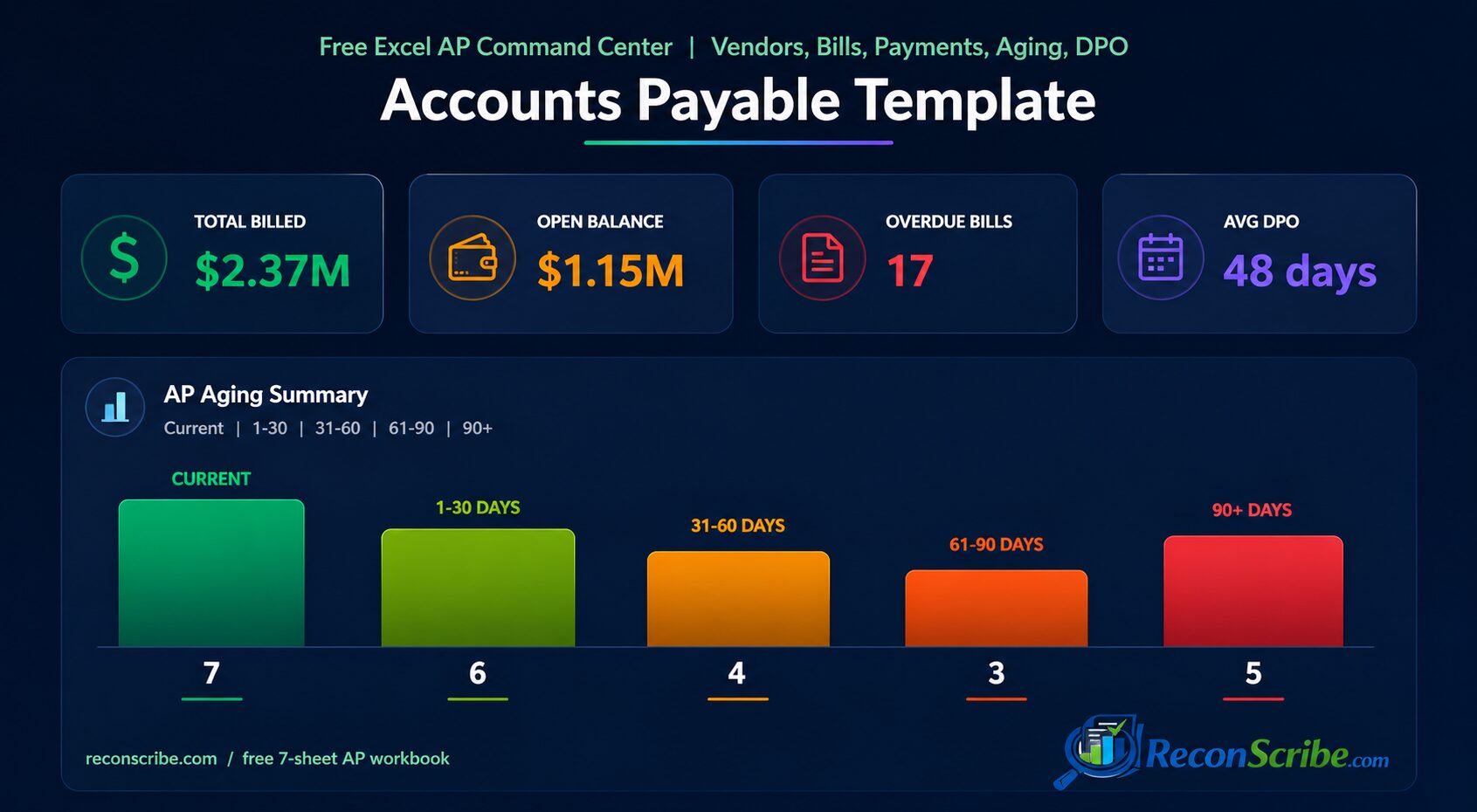
The dashboard is where the accounts payable template earns its keep. In a single view it shows total billed, total paid and open balance, the number of overdue bills, the average days overdue, and your average days payable outstanding.
The aging report buckets every open bill into Current, 1 to 30 days, 31 to 60 days, 61 to 90 days and 90 plus days overdue, so you can see where the risk sits and which suppliers to pay first. Aging is the classic early-warning system for payables, and the template builds it for you with no formulas to maintain.
Days payable outstanding, or DPO, tells you how long on average you take to pay your bills. A higher DPO means you hold cash longer, but push it too far and you risk late fees and unhappy vendors. If the term is new to you, Investopedia has a clear explainer of days payable outstanding and of accounts payable itself. The template tracks DPO automatically so you can manage the trade off on purpose, not by accident.
How the AP aging report works, with an example
Aging is the single most useful report in any accounts payable template, so it helps to see it in action. Say your reporting date is 30 April and you have three open bills: one due 25 April for 1,000, one due 10 April for 500, and one due 2 May for 2,000. On the dashboard the 2 May bill sits in Current because it is not due yet. The 25 April bill is 5 days overdue, so it lands in the 1 to 30 days bucket, and the 10 April bill is 20 days overdue and sits in the same bucket. Your aging instantly shows 2,000 current and 1,500 in the first overdue bucket, and the moment any bill crosses 30, 60 or 90 days it slides into the next bucket on its own.
That is the whole point. Instead of scanning a long list and doing date maths in your head, you glance at the buckets and know exactly which suppliers need paying and how urgent each one is. Pair that with the status summary, which groups bills by Open, Approved, Partially Paid and Paid, and you have a complete picture of where every rupee or dollar of payables stands at any moment.
How to use the accounts payable template, step by step
Getting started takes about ten minutes:
- Open the Settings tab and enter your company name, reporting date, currency and aging buckets.
- Add your suppliers in Vendor Master. Give each one a clear ID like V-001.
- Optionally log open purchase orders in Purchase Orders.
- Enter every open bill in the AP Subledger with its vendor, amount, dates and payment terms.
- Record what you have paid so far in Payments.
- Open the Dashboard and read your aging, open balance and DPO. That is your payables, under control.
From then on the weekly rhythm is simple: add new bills, log payments, and check the dashboard before you run your next payment batch.
Watch the complete accounts payable template walkthrough
Build the workbook with us, enter a bill and part payment, then see due dates, aging, DPO and the three error checks work in real Excel.
Why an accounts payable spreadsheet beats another SaaS login
You could buy a payables platform. For most small and mid size finance teams that is overkill. This accounts payable template is a plain .xlsx file, which you can store and use locally, there is nothing to subscribe to, nothing to integrate, and nothing that stops working when a vendor changes their pricing. It opens in Excel, Google Sheets and LibreOffice Calc, it has no macros to enable, and you can email it to your accountant or CFO without breaking anything. You own it outright.
If you also manage cash timing, pair it with our cash flow decision tool, a free six week forecast workbook that works the same offline way. For annual bills paid in advance, such as insurance or software subscriptions, our prepaid expense schedule template spreads the cost month by month.
Who this AP tracker is built for
Founders and owners who want to know what they owe without logging into anything. Bookkeepers and accountants who manage payables for several clients and need a clean, portable file per client. Finance leads at growing companies who have outgrown a basic list but are not ready for enterprise software. Anyone who has ever paid a bill twice, missed a discount, or been surprised by a vendor call will get value on day one.
Accounts payable and TDS for Indian businesses
If you operate in India, your payables come with a tax layer: many vendor payments attract TDS, which you must deduct, deposit and report. The AP Subledger is a good place to note the section and rate that applies to each bill. To work out how much to deduct on professional fees, contractor payments, rent and more, use our TDS rate calculator, and if you ever miss a date, the TDS late fee and interest calculator shows the cost. Keeping payables and TDS in step saves you from nasty year-end surprises. Bills from registered micro and small suppliers carry a legal clock too: payment is due within 15 days of acceptance, or within the agreed term up to 45 days, and late payment attracts compound interest at three times the RBI bank rate. Our MSME delayed payment interest calculator works out the amount.
Best practices to keep your accounts payable clean
A template only helps if the habits around it are sound. Enter bills the day they arrive, not the day they are due. Match every bill to a purchase order where one exists. Capture payment terms accurately so the aging is honest. Review the dashboard weekly and clear the oldest, highest risk bills first. Take early-payment discounts when cash allows, since a 2 percent discount for paying ten days early is a very high annualised return. Reconcile the AP subledger to the accounts payable control account in your general ledger at month end. Separately match recorded payments to bank transactions; the bank balance is not the balance of unpaid supplier invoices. Do these consistently and your payables stop being a source of stress.
Accounts payable reconciliation and payment-run checklist
Before approving a payment batch, use the tracker as a starting point, not as automatic authorisation to pay. Keep the supporting invoice and approval with your accounting records.
- Set a consistent cut-off. Compare the workbook and accounting ledger at the same reporting date. Separate later payments when reconciling a historical balance.
- Check the invoice identity. Compare vendor ID, invoice number, amount and date with the source document. Investigate possible duplicates before adding another bill.
- Review part payments and credits. Match payments to the correct bill and investigate credit notes, advances and unallocated amounts in the accounting system. Do not force an unexplained difference into a balancing entry.
- Tie out unpaid balances. Reconcile the vendor subledger to the general-ledger payables control account and document differences. Microsoft describes this control in its official vendor reconciliation guidance.
- Approve the proposed payment. Check the due date, disputes, approval and independently confirmed bank details. An overdue flag is not proof that a payment is authorised.
- Plan the cash outflow. Carry approved remaining amounts into the six-week cash flow forecast using realistic payment dates, then record actual payments against the bills.
Simple cross-check: an invoice for Rs 12,000 with an allocated payment of Rs 4,000 leaves Rs 8,000 unpaid, assuming no credits, withholding or other adjustments. Forecasting the original Rs 12,000 again would overstate the remaining cash requirement by Rs 4,000. This is an illustrative control check, not a claim that the workbook handles every adjustment automatically.
Need invoice capture, approval routing or accounting-system integration rather than a manual tracker? Our accounts payable automation workflow guide explains the checks to keep when moving beyond Excel.
Accounts payable explained in plain English
Accounts payable is simply the money your business owes to suppliers for goods and services you have received but not yet paid for. It sits on your balance sheet as a current liability. It is the mirror image of accounts receivable, which is what your customers owe you. Healthy businesses manage both sides deliberately: collect receivables a little faster, pay payables a little slower, and the gap quietly funds operations without touching a loan. This accounts payable template gives you the control half of that equation, so you always know what is due, to whom, and when.
Get payables wrong and the symptoms are familiar: duplicate payments, missed discounts, surprise late fees, and vendors who put you on credit hold at the worst possible moment. Get it right and you protect both your cash and your supplier relationships at the same time.
Understanding payment terms: Net 30, 2/10 Net 30 and more
The AP Subledger has a payment terms column for a reason. Terms decide when a bill is actually due and whether an early-payment discount is on the table. A few you will see often:
- Net 30: the full amount is due 30 days from the invoice date. Net 15, Net 45 and Net 90 work the same way with different windows.
- Due on receipt: payment is expected immediately, with no credit period.
- 2/10 Net 30: take a 2 percent discount if you pay within 10 days, otherwise the full amount is due in 30. Paying early here is almost always worth it, because 2 percent saved over 20 days works out to a very high annual return.
Record terms accurately and the accounts payable template ages each bill from the correct due date, so your overdue list is honest and your discount windows are never missed.
The accounts payable KPIs that actually matter
A good accounts payable tracker is not about prettier rows, it is about the handful of numbers that tell you whether payables are healthy. Watch these on the dashboard:
- Open balance: the total you still owe right now, your single most important payables number.
- Days payable outstanding: how long on average you take to pay. Rising DPO frees cash, but a sudden jump can signal a cash crunch.
- Percentage overdue: the share of your open balance that is past due. The lower the better.
- Overdue bill count and average days overdue: early-warning signs that a process or a cash problem is building.
Tracked every week, these turn payables from a reactive scramble into a calm, predictable routine.
When to move beyond a spreadsheet
This accounts payable template comfortably handles hundreds of bills and dozens of vendors, which covers most small and growing businesses for years. You may want dedicated software once you need multi-user approvals with a full audit trail, automated invoice capture from email, or a tight two-way sync with an ERP. Until then, a clean spreadsheet you fully control is faster, cheaper and far less fragile than yet another subscription. And even after you upgrade, this file stays a great way to model, sanity-check and report outside the main system.
Sign in to download the Excel workbook, then plug in your vendors and bills. Keep the workbook locally if you want offline storage. Uploading it to a cloud spreadsheet service, syncing its folder or emailing it shares the file beyond your device.
Download the Excel workbookSign in to download
Login is required to download. The file is a standard .xlsx, no macros, and works in Excel, Google Sheets and LibreOffice Calc.
Frequently asked questions
Is this accounts payable template really free?
Yes. The Excel workbook is free to download with a reconscribe.com account, and free to use for your business. Login is required only to access the file.
Do I need macros or any add-ons?
No. It is a standard .xlsx built on formulas only, with no macros to enable. It opens safely in Excel, Google Sheets and LibreOffice Calc.
Can I change the currency and aging buckets?
Yes. The Settings tab lets you set your currency symbol and code, number format, reporting date and the 30, 60 and 90 day aging buckets. Every sheet updates automatically.
What is days payable outstanding (DPO)?
DPO is the average number of days you take to pay your bills. The dashboard calculates it for you so you can balance holding cash against paying vendors on time.
Will it work for multiple companies?
Yes. Keep one file per company. Set the company name in Settings and the workbook brands every sheet for that entity.
What should an accounts payable tracker include?
For every bill: the vendor, bill date, due date, amount, payments made and the open balance, so you can age what is unpaid and plan payment runs. This template keeps those in the AP Subledger and Payments sheets, links bills to vendors and purchase orders, and turns them into AP aging, DPO and overdue totals on the dashboard.
Can I use it as an accounts payable reconciliation template?
Yes. Match each vendor statement against the open bills in the AP Subledger, clear timing differences, and tie the aging total to the payables balance in your books before every payment run. The reconciliation and payment-run checklist in this guide lists each step.
More free tools: the cash flow decision tool, our full tax calculators and tools, and all articles.
This accounts payable template is provided for general business use and is not accounting or tax advice. Confirm treatment with a qualified professional.
Related free calculators: EMI and loan calculator, rent receipt generator.
Have a specific tax or accounts payable question? Our free finance question solver helps you find related tax summaries, guides and calculators. Check the linked guide and official source for your situation.