
Imagine asking an assistant to watch for an important email, compare your options and get the booking ready while you are doing something else. You would still want to see what it found before it sends a message or spends your money. That is the idea behind Muse, Meta’s new personal AI agent.
Meta introduced Muse on 8 September 2026. It is not just another name for a chatbot or a model download. Muse is an app and service designed to keep track of goals, use a browser and connected services, work in the background and ask for approval before sensitive actions. Its underlying AI comes from Meta’s Muse Spark model family.
That difference matters. A chatbot may tell you how to book a ticket. An agent might find the available seats, fill in the details and stop at the payment approval. Whether you should give it access to your inbox, calendar or business systems is a separate question, and one worth thinking through before you connect anything.
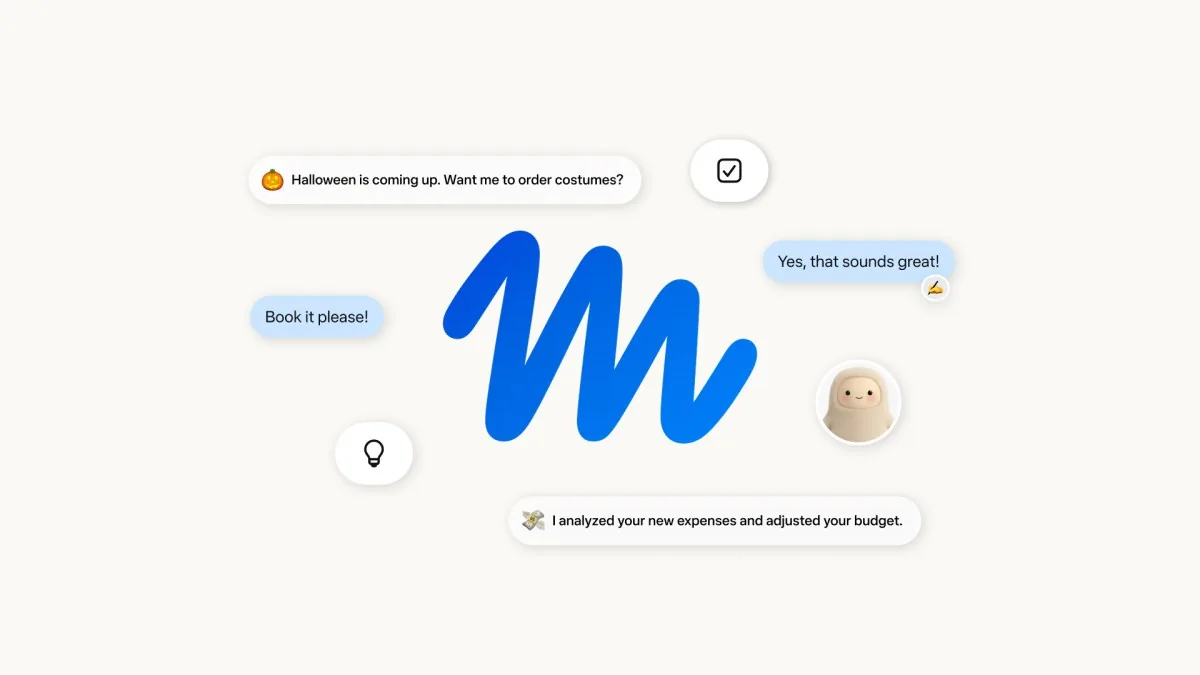
Meta Muse at a glance
Product by  Official company mark; independent ReconScribe coverage.
| Question | Answer as of 20 September 2026 |
|---|---|
| What is Muse? | Meta’s personal AI agent, available through its own app and web experience, with WhatsApp interaction described by Meta. |
| What powers it? | Meta says Muse is powered by Muse Spark. The Muse Spark 1.3 announcement concerns the model, not an interchangeable name for the consumer agent. |
| Where is it rolling out? | The United States on iOS, Android and muse.ai, according to Meta’s launch announcement. Meta has not given an India launch date there. |
| Is it free? | Meta says it is free for most everyday needs, with subscription plans for more. The launch post does not specify a full public price and quota table. |
| Can it act for you? | Meta describes browsing, connected-app actions, background work, forms, email and purchases, subject to access and approval controls. |
| Is it an open-weight model? | No. Do not confuse the Muse service with Muse Glimmer, Meta’s separately released open-weight local model. |
Primary source: Meta’s Muse launch announcement.
What does Muse actually do?
The useful way to understand Muse is to follow a task, not a benchmark. Suppose you ask it to keep an eye on a flight for a family trip. In Meta’s design, Muse can remember the goal, check information later, work through sites in its own browser and return when it has a useful update or needs your decision. You do not have to sit in the chat waiting for every step.
Our live AI leaderboard has an AI agents tab that puts Muse beside ChatGPT dots, Claude Cowork and other agent products, with plans and prices in US dollars.
Meta lists examples such as sorting email, booking travel, preparing a shopping basket and adjusting plans over time. The company also says Muse can create documents, PDFs, web pages and trackers. Those are product examples, not a promise that every service or booking site works flawlessly. Connections, country support, permissions and site behavior can all affect what an individual user can actually do.
The Muse design post describes one ongoing main conversation, optional side chats, a Goals tab, an activity log and controls for how often Muse contacts you proactively. You can interrupt it with a new request instead of waiting for a long task to finish. It can also generate an interface or document when a paragraph would be an awkward way to present the result.
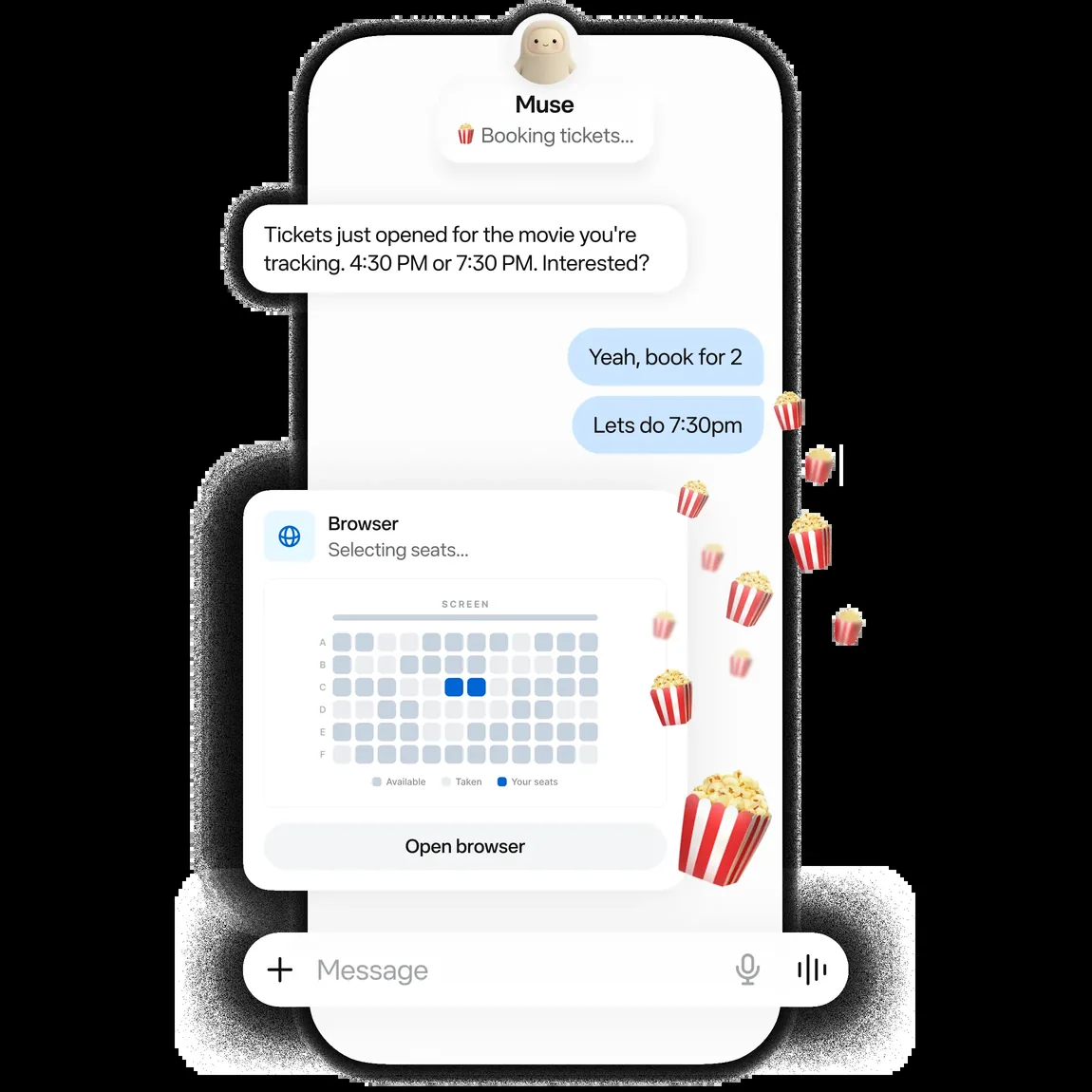
Why the browser and background work matter
Many AI tools are useful only while you are asking questions. Muse is meant to continue after you close the app. Its cloud computer includes a browser, file space and tools, so a task can move from reading information to preparing an action. Meta says Muse can use connectors for supported services and can build custom connections where an API or command-line tool exists.
That breadth is attractive, but it also changes the risk. An assistant that summarizes a public article can be corrected after the fact. An agent with access to email and a purchase flow needs clear boundaries before it acts. Good controls are part of the product, not an optional finishing touch.
Muse, Muse Spark and Muse Glimmer are not the same thing
The shared name makes Meta’s AI lineup easy to misunderstand:
| Name | What it is | Who it is for |
|---|---|---|
| Muse | A personal agent with an app, browser, memory, connected services and approval system. | People delegating everyday tasks where the service is available. |
| Muse Spark 1.3 | A model in Meta’s Muse Spark family, available through Muse Code and Meta Model API according to the September model announcement. | Developers and teams building their own model-powered workflows. |
| Muse Glimmer | A distinct 30-billion-parameter open-weight model optimized for local agent workflows, released under Apache 2.0. | Developers who want to run a model on suitable local hardware. |
Sources: Muse launch, Muse Spark 1.3 and Muse Glimmer. A Muse subscription does not automatically mean you have the same developer API, and running Glimmer locally does not give you Muse’s hosted personal-agent service.
How Muse handles access, approvals and privacy
Meta says each Muse runs in a dedicated cloud virtual machine, called Muse Secure VM. It holds the user’s workspace and connected-service credentials, while the main agent runs in a restricted area. Credentials are stored outside the agent’s working area. Another component, Sentinel, controls connector actions and outgoing network requests. In Meta’s description, Muse proposes the action and Sentinel decides whether it is allowed, denied or sent to the user for approval.
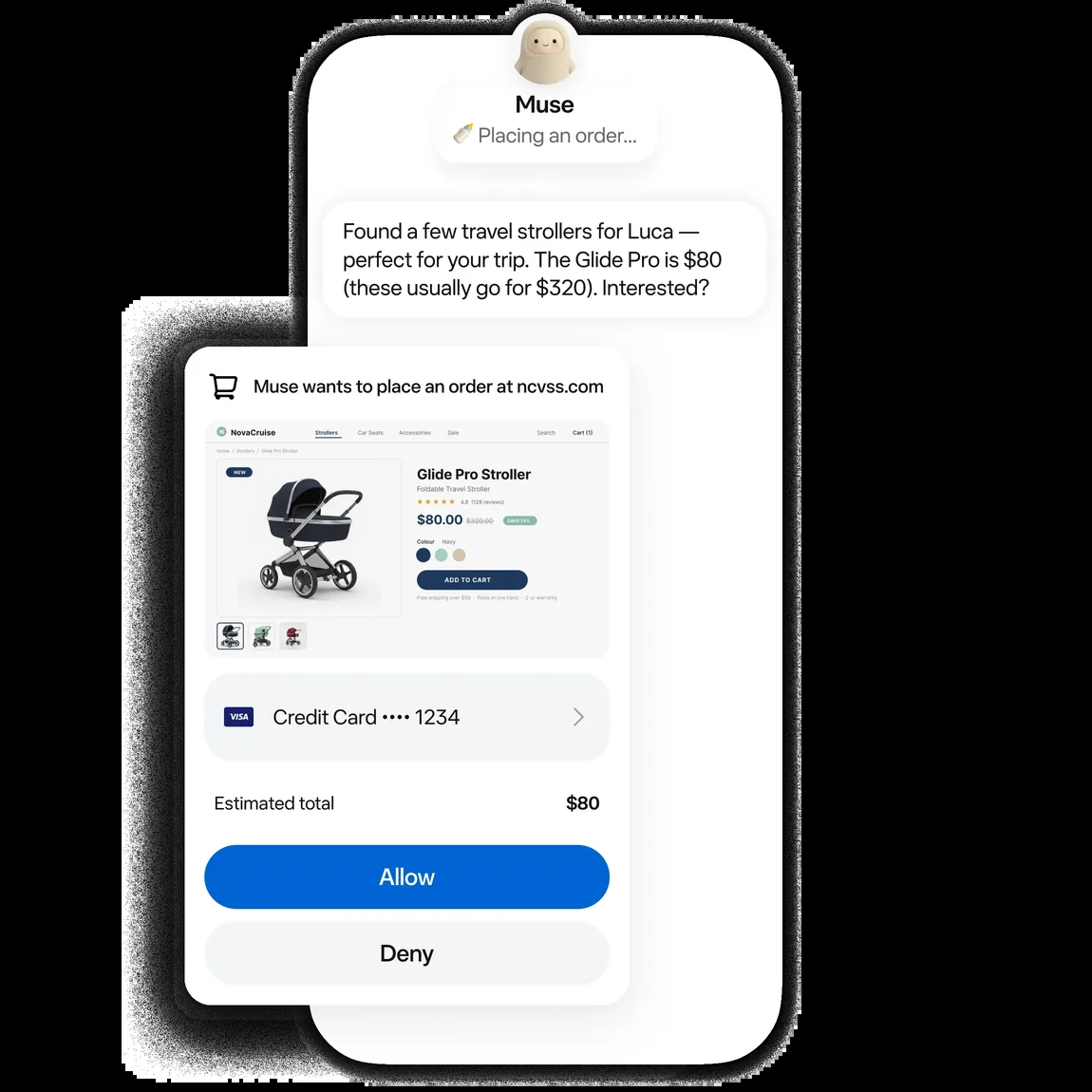
That is more specific than saying an agent is simply “safe.” Meta says the app asks before sensitive actions such as sending an email or making a purchase, and shows an activity trail. The technical safety post explains that approvals can be scoped to a single action, session, task or time period. Where supported, connector permissions can distinguish reading from writing. You should review the scope of the actual permission screen, not assume every connected app has identical controls.
What about training and advertising?
Meta says Muse does not share conversations or data in the user’s virtual machine directly with its advertising systems. That is not the same as saying Muse activity can never influence ads: Meta’s safety post notes that an outside site visited by Muse may treat the visit as your activity and later advertise to you.
Meta also says inference interactions and tool-use traces may be sanitized and used to train future models by default, with a switch to opt out in Muse settings. If that matters to you, check the setting before connecting an account or sharing sensitive information. Meta describes a more restrictive Muse Confidential VM as planned for later in 2026, not as a generally available launch feature.
Important limit: Meta itself says Muse can make mistakes and prompt injection remains an open problem. Isolation, checks and approvals reduce risk; they do not make every answer correct or every connected workflow suitable for confidential business records. These security and privacy descriptions are Meta’s published design claims, not an independent audit by ReconScribe.
Could a finance or operations team use Muse?
Potentially, but start with a small, low-risk job. A sensible first test would be to watch a public deadline page, organize non-confidential reading or prepare a draft checklist from a known source. Compare what Muse reports with the original page. Only then consider read access to a limited calendar or mailbox, if your organization permits it.
For example, an operations manager could ask an agent to gather the documents needed for a monthly review, note missing items and prepare a follow-up draft. The manager should still check the underlying files, dates and recipients before anything is sent. For an audit or payroll workflow, the agent should not be the final authority on a statutory rate, employee eligibility or a payment. Source documents, deterministic calculations and human sign-off remain necessary.
There are several practical questions to ask before a business trial:
- Which account is connected, and is the permission read-only or able to write?
- Can the agent see employee, customer, banking or client data that your policy forbids in third-party AI services?
- What does the activity log show, and can a reviewer reconstruct the original source for an answer?
- Which actions require a fresh human approval, even after an earlier permission was granted?
- How will you test errors, revoked access and a malicious instruction hidden in an email or page?
For more on the distinction between a broad agent and a narrow decision tool, see our Jev AI guide. Jev is designed to return bounded typed judgments to code; Muse is designed to carry multi-step tasks across tools. Neither should be judged by a raw token price or a single demo alone. Our finance AI prompts guide offers a gentler place to test drafting and review before granting an agent account access.
Can you use Meta Muse in India?
Not as a confirmed local rollout at the time of this review. Meta’s 8 September launch post says Muse is rolling out in the US on iOS, Android and muse.ai. It does not announce an India launch date. Seeing a marketing page or an app listing is not proof that your account and region are eligible for the service.
If you are in a supported region, start at the official Muse site or the official app links it provides. Sign in, review the current terms and available plan, then connect only the services needed for one test task. Begin with the narrowest access offered and inspect the activity and approval settings. Do not use a third-party sign-up page claiming to unlock a regional rollout.
Meta calls the ordinary service free for most of what people need and says paid plans let people do more. It has not provided a full price, quota and India availability table in the launch announcement. We will not invent a rupee price or suggest a workaround for regional access.
Is Muse better than ChatGPT, Claude or Jev?
That question mixes products that solve different problems. If you need a careful answer, draft or code review, compare the quality and cost of the actual models you can access. If you need an assistant to keep a task alive, interact with apps and request approval at the right moment, compare agent workflows, not just one-off answers. If your software needs thousands of constrained classifications, a specialist such as Jev may be a more direct fit than an always-on personal agent.
Muse’s interesting claim is not that it wins every intelligence chart. It is that the model, cloud computer, connectors, memory, permissions and user interface work together as one personal service. We have not independently benchmarked Muse against competing agents, so it would be misleading to call it the best or cheapest. The better test is a real task: Did it finish the job correctly, respect the approval boundary, preserve evidence and save enough time to justify the access you gave it?
Frequently asked questions
Is Muse the same as Meta AI?
No. Muse is Meta’s newly announced personal-agent product with a dedicated cloud computer, background tasks and connected-service actions. Meta AI is the broader assistant brand. Check the product you are actually opening before granting permissions.
Is Muse Spark 1.3 available to developers?
Meta says Muse Spark 1.3 is available through Muse Code and Meta Model API. That developer access is separate from a consumer Muse account. See Meta’s model announcement for current access details.
Does Muse send emails or buy things without asking?
Meta says sensitive actions such as sending an email or making a purchase trigger approval. Permissions can also be set at different scopes, so review the particular approval and access settings rather than relying on a blanket promise.
Can Muse see my passwords?
Meta says credentials are stored outside the agent’s runtime and inserted at the point of use, so the main agent does not see the actual password or token. That is a vendor description of the architecture, not a reason to connect accounts casually.
Can I turn off model training for my Muse data?
Meta says there is an opt-out switch in Muse settings. Its safety post says sanitized interaction traces may be used for training by default unless you opt out. Check the latest settings and policy before sharing sensitive material.
Is Muse available in India and what does it cost?
Meta’s launch specifies a US rollout, not an India date. It says most ordinary use is free with subscriptions for more, but does not publish an India price in that announcement. Verify the official Muse site for changes.
Can I download Muse and run it on my own PC?
The Muse personal-agent service is described as running in a dedicated cloud VM. Muse Glimmer is a different, downloadable open-weight model for local use. Downloading Glimmer does not install the full Muse service.
Our take
Muse is worth watching because it tries to turn AI from a place where you ask questions into a service that follows through on a task. The hard part is not the first impressive demo. It is whether the agent handles the dull, messy second and third steps reliably, and whether you can tell exactly what it did before it touches a sensitive account.
If you can use it, try one reversible task, keep permissions narrow and check the result against the source. For finance, payroll, audits and other consequential work, make the agent prepare information, not approve its own conclusions. If you are in India, wait for a confirmed local rollout rather than treating a US announcement as availability here.
Official sources and review date
Reviewed by ReconScribe on 20 September 2026. Availability, plans and features may change. We used Meta’s own material for product facts and labelled examples or security promises as Meta’s claims:
- Meta Newsroom: Introducing Muse, 8 September 2026.
- Meta: How We Designed Muse, September 2026.
- Meta AI Research: How We Built Safety Into Muse, 8 September 2026.
- Meta AI Research: Muse Spark 1.3, 2 September 2026.
- Meta AI Research: Muse Glimmer, 10 August 2026.
Compare before choosing: See the AI models and access guide for India and the AI in finance and accounting guide for controlled workflows and review checks.