
Claude Code can inspect files, edit workbooks and scripts, run commands, verify results and keep working until a task is complete. This Claude Code tutorial turns Boris Cherny’s popular 30-minute workshop into a practical, current guide—without repeating instructions that have changed since the video was recorded.
The workshop is still an excellent explanation of the product’s core philosophy: give an agent a real working environment, teach it your tools and judge it by verified output. But Claude Code has moved quickly. Native installers now replace npm as the recommended setup, permission modes and shortcuts have evolved, Skills supersede most custom commands, and Python and TypeScript SDKs are already available.
Watch the ideas; use the updated instructions below
The video was published on 22 May 2025. Its explore → plan → implement → verify workflow remains useful. Installation, privacy wording, shortcuts, command locations and SDK status in the article below have been checked against Anthropic’s documentation on 18 July 2026.
Looking for product choices and finance use cases rather than terminal setup? Start with our broader guide to Claude for finance and accounting. This page is the hands-on Claude Code tutorial, with practical Claude Code for finance workflows and safe terminal setup.
Claude Code tutorial: What is Claude Code?
Claude Code is Anthropic’s agentic work environment. You describe an outcome in plain language; it can read the files you permit, search a project, propose a plan, edit files, run approved tools and inspect the result. It started as a terminal product, but it is now also available through the Claude desktop app, supported IDEs, web sessions and automation interfaces.
The important word is agentic. A normal chat gives you an answer to copy somewhere else. Claude Code can operate inside the folder where the work lives. For a finance team, that folder might contain a monthly-close checklist, CSV exports, a workbook template, validation scripts and written accounting rules. Claude can use those materials together, subject to your permissions.
Claude, Cowork and Claude Code are not the same thing
| Product surface | Best fit | Typical user |
|---|---|---|
| Claude chat and Projects | Questions, analysis, document drafting and a reusable knowledge workspace | Anyone |
| Claude Cowork | Multi-step knowledge-work tasks in an approachable desktop experience | Business users who prefer a graphical interface |
| Claude Code | Working directly with folders, files, commands, version control and programmable tools | Technical users and power users who need control and repeatability |
You do not have to be a software developer, but you should be comfortable reviewing changes, maintaining clean source files and deciding which commands are safe. If the task is a one-off document summary, chat may be simpler. If it needs to be rerun every month with checks and an audit trail, Claude Code becomes much more compelling.
Claude Code installation in 2026
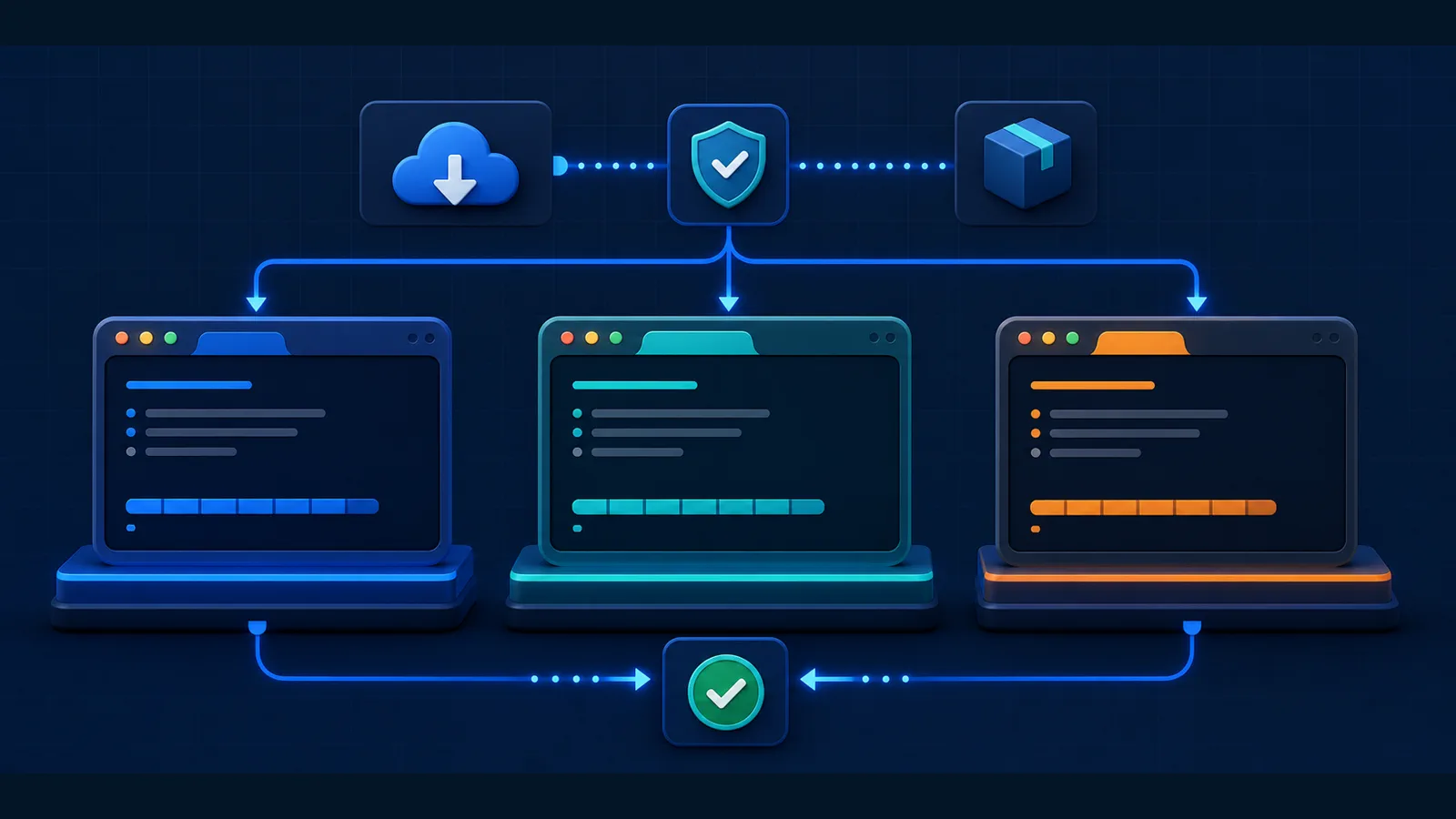
For Claude Code installation in 2026, Anthropic recommends the native installer. The workshop’s npm route still exists, but it is no longer the default path. Open the terminal appropriate for your operating system and use one of the following commands.
Windows PowerShell
irm https://claude.ai/install.ps1 | iexClaude Code runs natively on supported Windows versions. Git for Windows is optional; when present, it enables the Bash tool. Without it, Claude Code can use PowerShell for shell commands. WSL 2 remains useful when your work already lives in a Linux toolchain or you need Linux sandboxing.
macOS, Linux or WSL
curl -fsSL https://claude.ai/install.sh | bashPackage-manager alternatives
# macOS with Homebrew
brew install --cask claude-code

# Windows with WinGet
winget install Anthropic.ClaudeCode

# npm alternative — Node.js 22+ for current releases
npm install -g @anthropic-ai/claude-code
Native installations update automatically in the background. Homebrew and WinGet installs normally require their respective upgrade commands. After installation, verify the executable before starting real work:
claude --version
claude doctor
After Claude Code installation, open a terminal in a safe project folder and run claude. The first session guides you through sign-in. Claude Code access requires an eligible Claude plan, a Console account using API billing, or a supported third-party model provider. If an ANTHROPIC_API_KEY is already present in your environment, confirm which billing route you intend to use before proceeding.
Avoid surprise API charges
A Claude subscription and Anthropic API usage are different billing paths. Run /status inside Claude Code to inspect the current account and model. On a work machine, ask your administrator which authentication method and spending controls apply before processing company data.
Your first safe Claude Code workflow
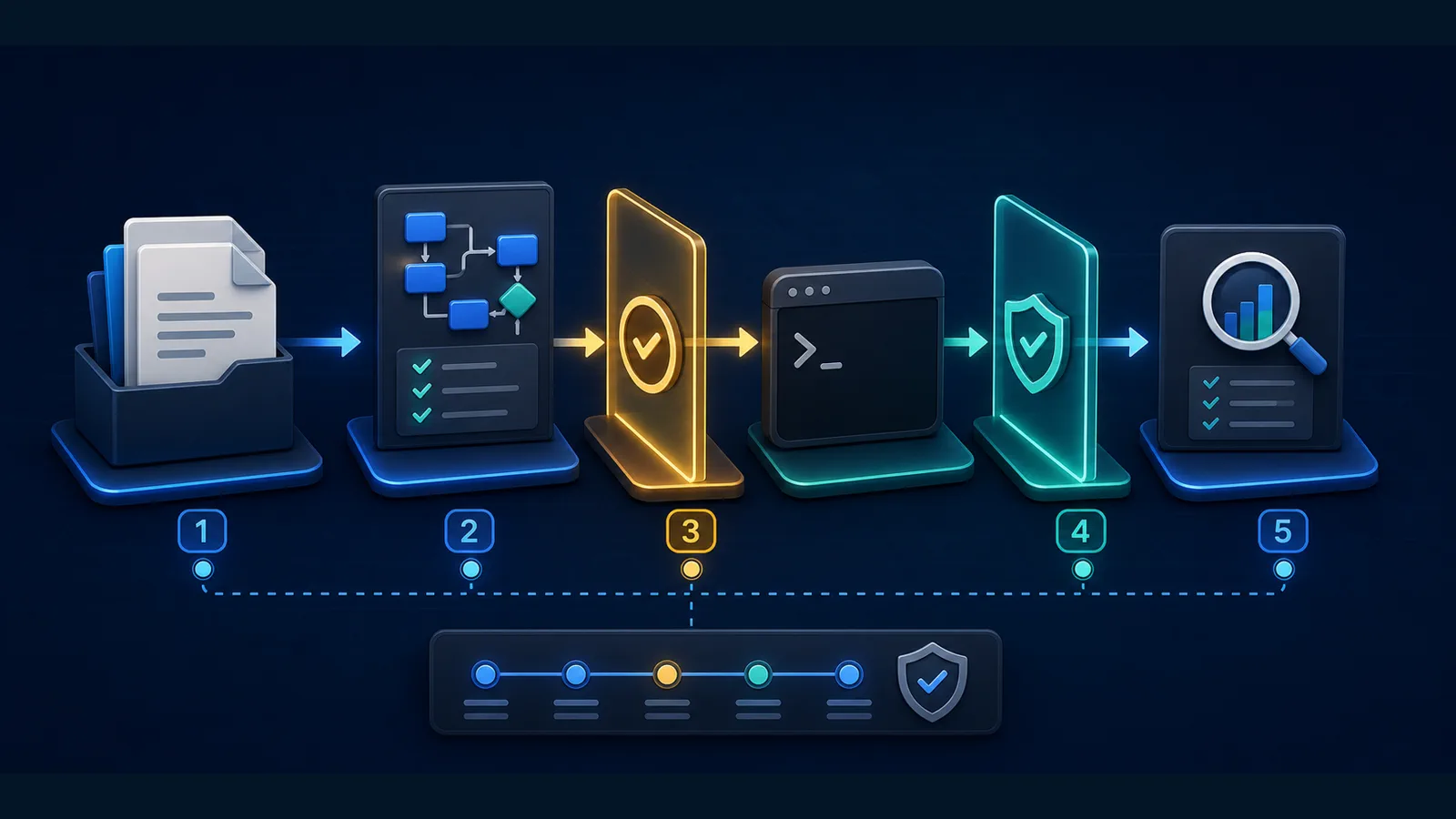
A safe Claude Code workflow does not begin by pointing an agent at a live finance folder and asking it to “clean everything.” Start with a copy, establish a baseline and make the success criteria measurable.
- Create a working copy. Remove credentials and personal data you do not need.
- Open Claude Code in that folder. Let it inspect before allowing edits.
- Ask for a map. Request a file inventory, dependencies, risks and unanswered questions.
- Request a written plan. Specify outputs, checks and files that must not change.
- Approve a narrow implementation. Keep permission prompts on while learning.
- Verify independently. Recalculate totals, inspect formula cells, compare record counts and review a diff.
- Save the repeatable rules. Add stable instructions to
CLAUDE.mdor turn the procedure into a Skill.
A strong first prompt is explicit about the boundary between analysis and action:
Inspect this folder in read-only mode first.

Goal: understand the monthly bank-reconciliation workflow.
Do not edit, rename or delete anything yet.

Return:
1. a file inventory,
2. the likely data flow,
3. data-quality risks,
4. a proposed validation checklist, and
5. questions you need answered before implementation.

Treat bank totals and ledger totals as untrusted until independently reconciled.
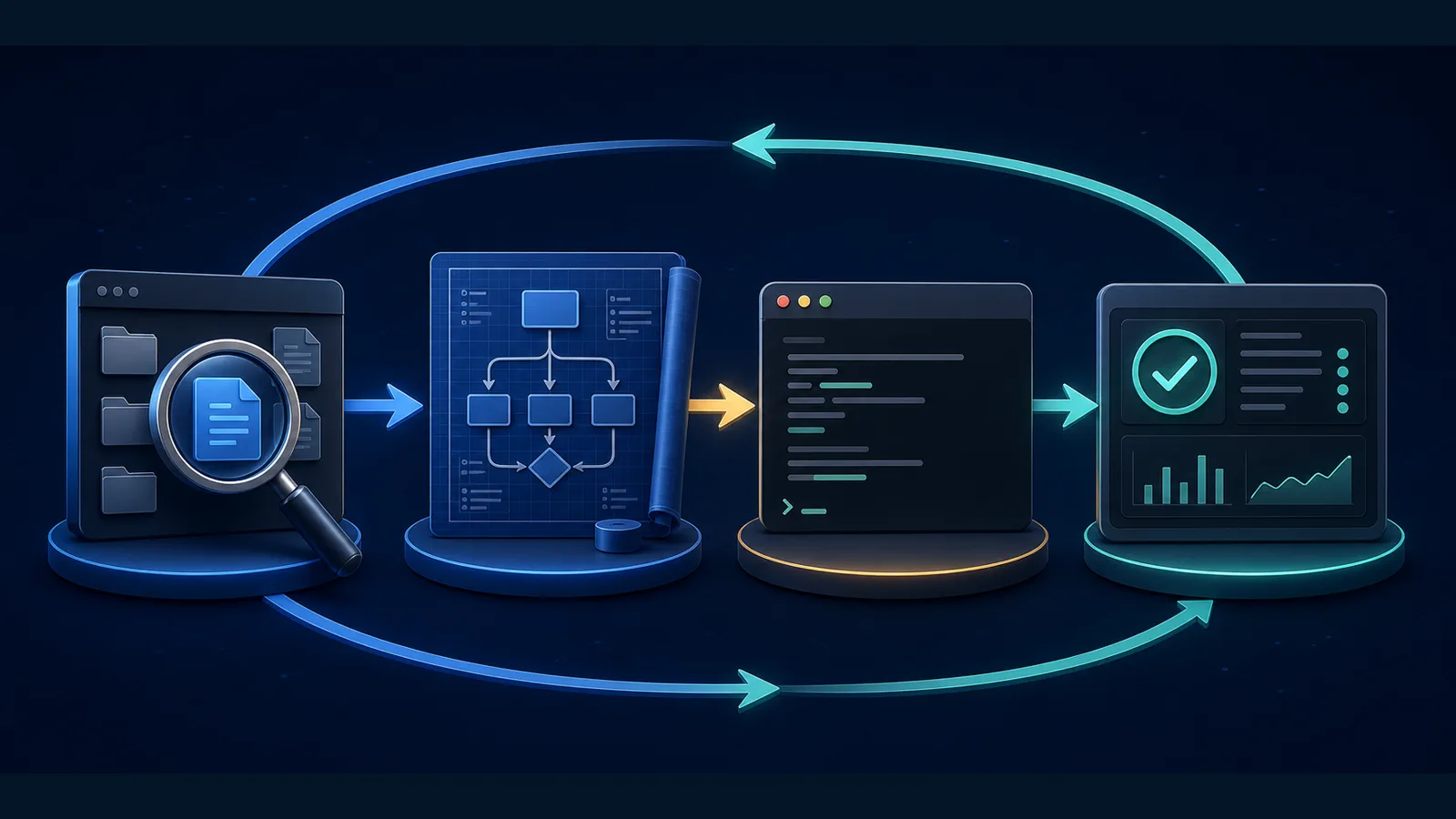
Use the explore → plan → implement → verify loop
This Claude Code tutorial follows the most durable lesson in Boris Cherny’s workshop. Exact commands will keep changing; a reliable Claude Code workflow remains more stable.
- Explore: ask Claude to read relevant files, history and documentation before proposing a change.
- Plan: agree on the approach, affected files, controls and acceptance tests.
- Implement: allow the smallest coherent change.
- Verify: run formulas, tests, reconciliations and visual checks; inspect the actual output rather than trusting a completion message.
For small, obvious tasks, planning can be brief. For anything touching tax logic, payments, master data or a shared workbook, invest in a written plan and approval points. Claude Code supports Plan mode for exactly this reason.
Claude Code permissions: what the agent may do
Claude Code permissions control tool calls. Reading a project is different from editing files; editing is different from running a shell command; and connecting an external MCP server introduces another trust boundary. Use /permissions to inspect and manage rules. The older /allowed-tools name remains an alias, but current documentation uses /permissions.
| Mode | What it is for | Finance recommendation |
|---|---|---|
| Manual | Prompts for edits and potentially risky tools | Best starting point and safest for unfamiliar folders |
| Accept Edits | Automatically accepts file edits while other tool permissions still apply | Reasonable in a disposable working copy after the plan is approved |
| Plan | Lets Claude investigate and plan without making changes | Use for live-process discovery, tax logic and unfamiliar models |
| Auto | Claude decides when to proceed and when to ask | Use only after rules and verification are mature |
| Don’t Ask | Automatically denies tools that are not pre-approved | Useful in controlled automation with a narrow allowlist |
| Bypass Permissions | Skips permission checks | Avoid on ordinary workstations; reserve for isolated containers or VMs |
Use Claude Code permissions deliberately: Shift+Tab cycles through permission modes; it is not simply an “auto-accept edits” switch. Rules can be saved at user, project, local or managed-policy scope. A safe project rule might permit a read-only validation command while continuing to ask before any write, network or destructive operation.
Never approve a command merely because Claude proposed it. Read the command, understand its target and check whether it can overwrite, upload or delete data. Prompt injection can also arrive through webpages, documents, issue text and external tools.
CLAUDE.md: give the agent durable project instructions
Every new session starts with a fresh conversation context. A CLAUDE.md file gives Claude stable instructions it should know whenever it works in the project. Put team-shared instructions in ./CLAUDE.md or ./.claude/CLAUDE.md. Use CLAUDE.local.md for private, machine-specific preferences and keep it out of version control.
Run /init to generate a starting file, then edit it. Anthropic recommends concise, specific instructions; target fewer than 200 lines per file. Procedures that matter only occasionally belong in Skills, not in a giant always-loaded file.
# Finance automation project

## Working rules
- Work only in `working/`; never modify `source/`.
- Never delete source files or overwrite an approved output.
- Treat dates as DD-MM-YYYY unless a source explicitly says otherwise.
- Preserve invoice numbers and GSTIN values as text.
- Ask before making any network request.

## Required verification
- Reconcile input and output row counts.
- Report duplicate keys and unmatched records separately.
- For spreadsheets, scan formulas for `#REF!`, `#DIV/0!`, `#VALUE!` and `#N/A`.
- Render the final workbook and visually inspect every dashboard sheet.
- Do not state that work is complete until checks pass.

## Commands
- Tests: `python -m unittest discover -s tests -v`
- Validation: `python scripts/validate_output.py`

## Reporting
- State assumptions, changed files, check results and unresolved exceptions.
Use /memory to see memory locations and manage auto memory. Use /context to confirm which instruction files loaded. Remember that CLAUDE.md guides behaviour; it is not a hard security control. Enforce non-negotiable restrictions through permissions, sandboxing, managed settings or hooks.
Focused context beats maximum context
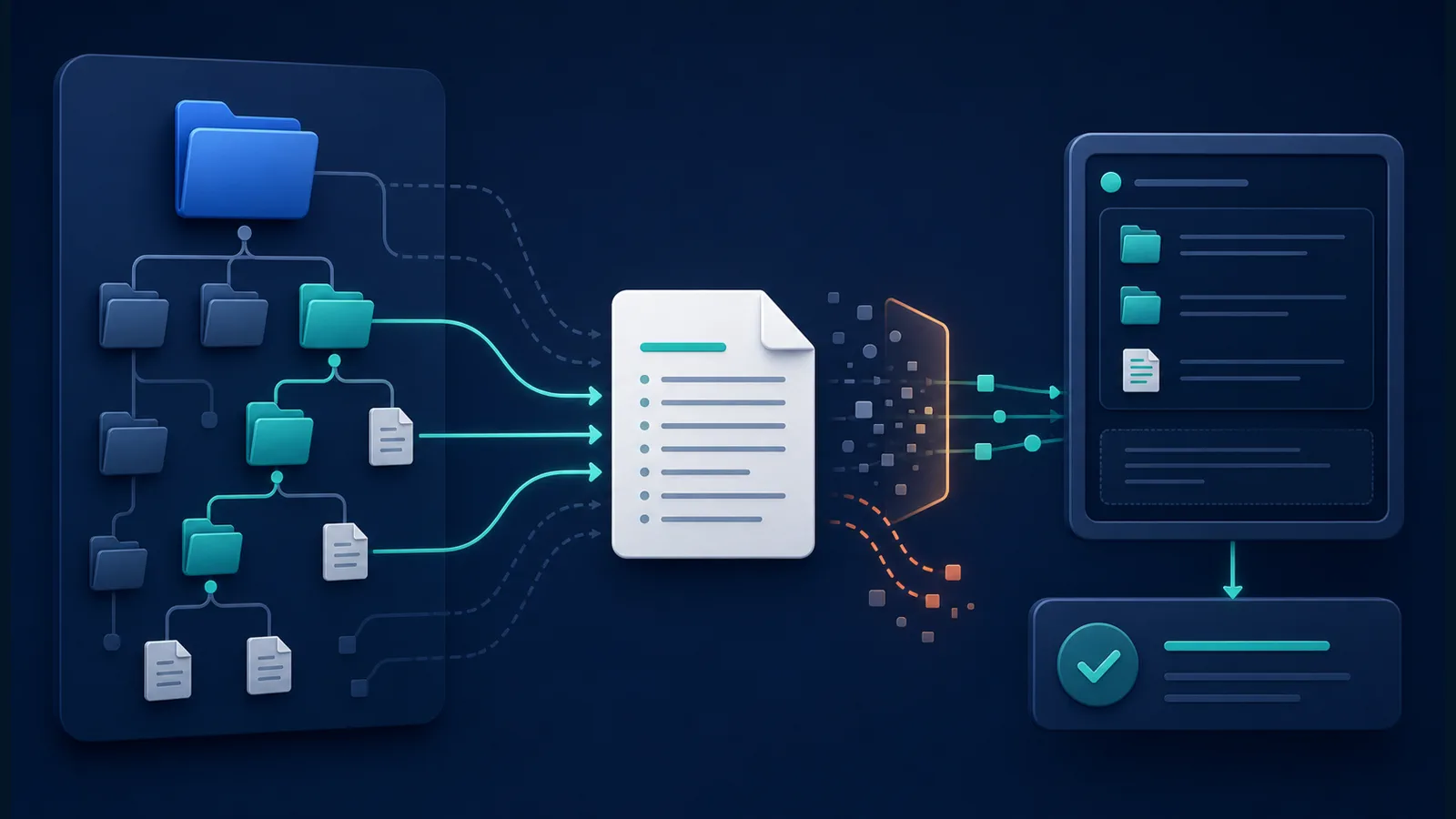
The workshop slide says “more context = better performance.” A better 2026 rule is: more relevant context usually helps; more noise does not. Long transcripts, obsolete instructions, unrelated files and oversized tool responses consume the context window and can distract the model.
- Use
@filenameto point Claude to a relevant file or folder. - State the desired output and the acceptance tests.
- Tell Claude which sources are authoritative when files conflict.
- Ask it to summarise findings before changing anything.
- Use
/compactwhen a long session becomes noisy, and start a new session when the task changes materially.
Claude Code Skills, subagents, hooks, MCP and plugins
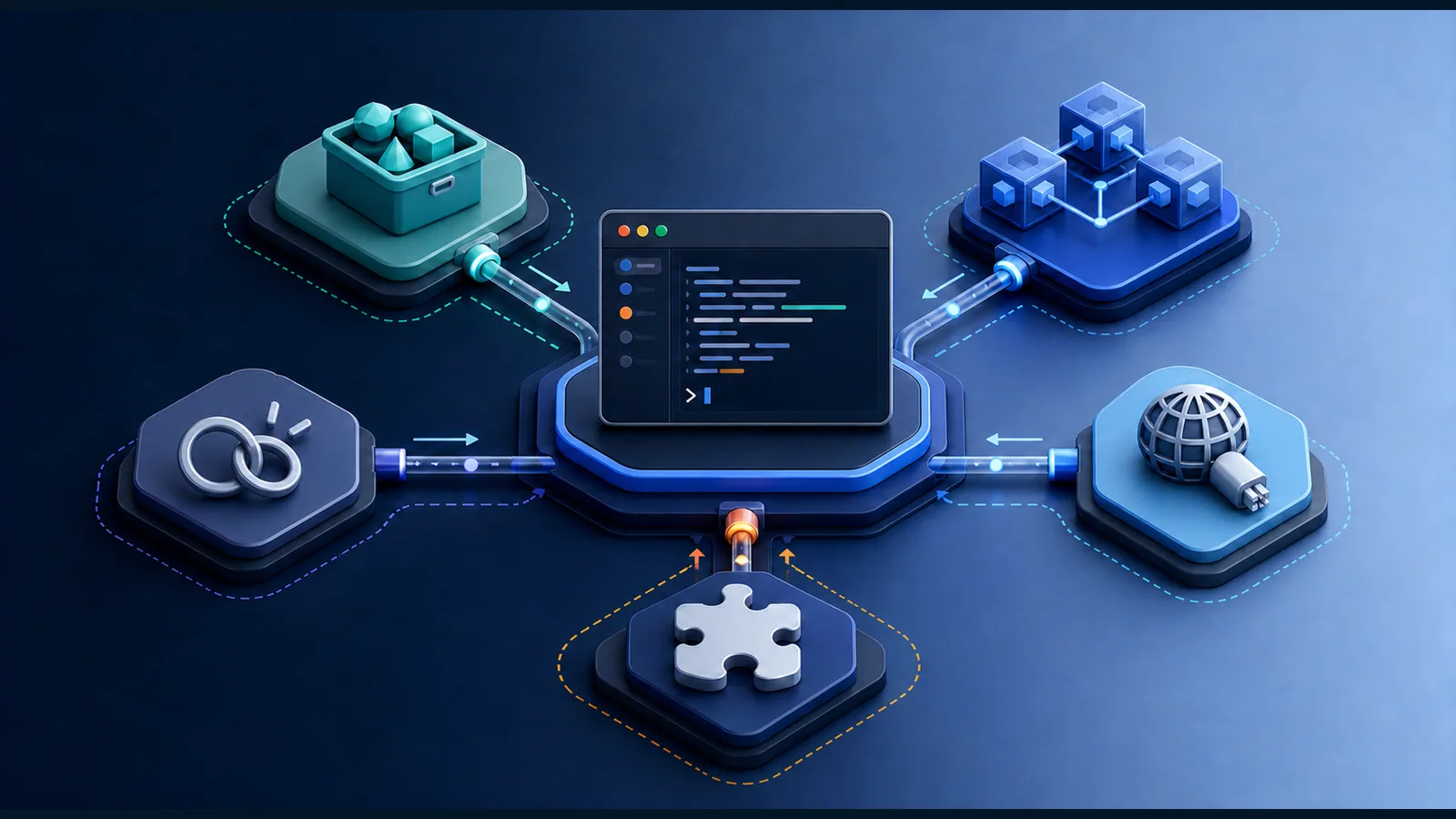
A complete Claude Code tutorial should explain its extension mechanisms. Claude Code Skills, subagents, hooks, MCP and plugins solve different problems. Adding all of them at once creates complexity rather than capability.
| Mechanism | Use it when | Finance example |
|---|---|---|
| Skill | You need a repeatable procedure, template or domain playbook | Build a monthly reconciliation workbook and run prescribed QA |
| Subagent | A bounded specialist task can run with its own context and tools | One agent checks formulas while another validates source totals |
| Hook | A deterministic command must run at a lifecycle event | Run a PII scanner before any network tool or validate outputs after edits |
| MCP server | Claude needs controlled access to an external system or data source | Read a task from Jira or query an approved database view |
| Plugin | A team needs a packaged bundle of Skills, hooks, agents or MCP configuration | Distribute a standard close-assistant setup to the finance transformation team |
Skills replace most custom slash commands
The workshop creates Markdown files under .claude/commands/. That legacy location still works, but Skills are now the preferred format. A Skill lives in .claude/skills/<skill-name>/SKILL.md for a project or ~/.claude/skills/ for a user. It can include instructions, templates and scripts, and it appears as a slash command such as /reconcile-bank.
Subagents and parallel work
Parallelism is helpful when tasks are genuinely independent. Ask one subagent to research source rules, another to inspect workbook structure and a third to design validation checks. Do not let several agents edit the same file at the same time. For code repositories, separate Git worktrees provide isolated working directories; for spreadsheet work, give each agent a different output file and merge only after review.
MCP connects external systems—but expands the risk boundary
The Model Context Protocol lets Claude Code use external tools, databases and APIs. Configure servers at local, project or user scope depending on who needs them. Prefer read-only endpoints first, use the least privilege possible, do not commit credentials into .mcp.json, and verify every server you install. Content returned by an external tool can contain prompt injection.
Claude Code tutorial: current commands and shortcuts
| Command or key | Current behaviour |
|---|---|
/help | Show available commands and help |
/permissions | Review or change tool-permission rules |
/memory | View CLAUDE.md and auto-memory locations |
/context | Inspect what is using the current context window |
/status | Check session, account and model information |
/compact | Summarise a long conversation to free context |
/rewind or double Esc | Return to an earlier point when the input is empty |
Shift+Tab | Cycle permission modes |
Ctrl+R | Search prompt history |
Ctrl+O | Open detailed transcript/tool output |
! | Enter shell mode for a direct command |
@ | Reference a file, directory or available resource |
Esc | Interrupt the current operation |
Two workshop-era items should be retired from your notes: # is no longer the documented memory shortcut, and /vibe is not a current built-in command. Also, Ctrl+R searches history; it does not open verbose model output.
Claude Code for finance: three practical workflows
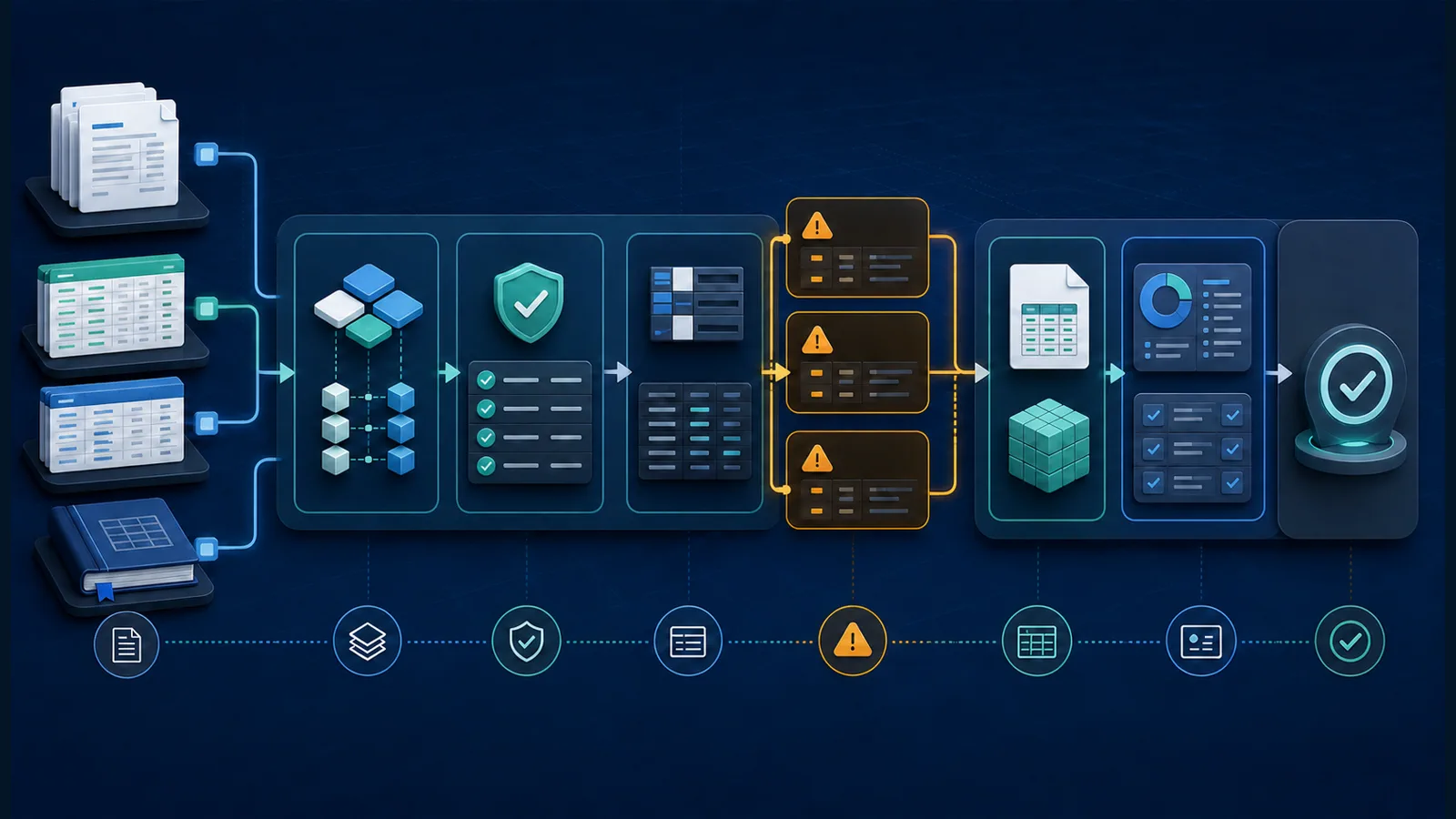
1. Build a formula-driven Excel schedule
Claude Code Excel automation is useful when the workbook is a deliverable that must be created, recalculated and visually checked—not merely described in chat.
Research the governing rules from primary sources first.
Then create a formula-driven Excel workbook in `outputs/`.

Requirements:
- separate Input, Rate Master, Calculation, Checks, Sources and Dashboard sheets;
- no hard-coded rates inside formulas;
- editable assumptions with data validation;
- visible reconciliation checks;
- formulas for every derived value;
- citations and an “as of” date;
- scan for formula errors;
- recalculate and render every sheet for visual QA.

Do not call the workbook complete until the calculation checks are zero and the rendered sheets are legible.
For regulated work, specify the jurisdiction, law, reporting period and source hierarchy. A well-formatted workbook based on the wrong tax year is still wrong.
2. Reconcile bank, ledger, GST or TDS data
Work from copies under `working/`; never change `source/`.

Profile each file first: row count, date range, total amount, missing keys and duplicates.
Propose a matching hierarchy before implementing it.

Output separate tables for:
1. exact matches,
2. one-to-many or many-to-one matches,
3. amount/date-tolerance matches,
4. duplicates,
5. unresolved items.

Every match must include a match reason and source-row references.
Reconcile record counts and amounts back to each source file.
Do not ask the model to “use judgment” invisibly. Convert judgment into explicit match rules, thresholds and exception buckets that a reviewer can test.
3. Create a month-end or AP exception pack
Read the close checklist, current-period exports and prior approved pack.
Do not post entries or contact anyone.

Create a draft exception pack containing:
- overdue tasks and owners,
- balance movements above the stated threshold,
- missing support,
- duplicate or unusual invoices,
- ageing changes,
- proposed follow-up questions,
- a source link or file reference for every observation.

Separate facts, calculations, assumptions and recommendations.
Flag anything that requires a human accounting decision.
This keeps the agent in an evidence-gathering role. Approval, posting and external communication remain controlled human actions unless a separately governed automation has been designed for them.
Use Claude Code non-interactively
claude -p runs a prompt non-interactively, which makes Claude Code useful in scripts and CI/CD. Restrict the tools, choose a structured output and test the command on non-sensitive data before scheduling it.
claude -p "Review the changed validation rules and return JSON with risks and missing tests" \
  --allowedTools "Read,Grep,Glob" \
  --output-format json
The Claude Agent SDK is also available today for Python and TypeScript. Use it when you are building an application with programmatic sessions, tool control and structured orchestration. The current packages are claude-agent-sdk for Python and @anthropic-ai/claude-agent-sdk for TypeScript. This replaces the workshop’s “SDKs coming soon” description.
Privacy and client-data checklist
Claude Code does not need a remote index of your entire repository, and its tools normally execute on your machine. That does not mean all data stays local. Prompts, relevant file content, tool results and model outputs are sent to Anthropic or the model provider you configure. Local conversation transcripts are also stored under your user profile by default.

- Confirm the account type, model provider, retention terms and training settings.
- Follow your employer’s AI, confidentiality and client-consent policies.
- Minimise data: use only the fields and periods required for the task.
- Mask PAN, bank details, personal identifiers and credentials where practical.
- Keep secrets in an approved secret manager or environment, not in prompts or committed files.
- Use permissions, sandboxing and network restrictions appropriate to the risk.
- Review MCP servers and plugins as third-party software and data processors.
- Do not allow autonomous posting, payment, filing or external communication without designed controls.
- Retain input, output, prompt, version and reviewer evidence when an audit trail is required.
Consumer, commercial and API arrangements can have different data-use terms. Read Anthropic’s current Claude Code data-usage documentation and your organisation’s contract rather than relying on a general internet claim.
Claude Code pricing and access
Prices checked 18 July 2026: Claude Pro is listed at US$20 monthly or US$200 annually; Max starts at US$100 per month. Team Standard is listed at US$20 per seat per month on annual billing or US$25 monthly, while Team Premium is US$100 per seat per month annually or US$125 monthly. Enterprise lists US$20 per seat plus usage at API rates. Taxes, regional availability, plan features and limits can change.
Claude Code pricing depends on plan and usage. Subscription limits are shared across Claude and Claude Code and vary with task complexity, context, model and concurrent activity. Console/API use is metered separately. Check the live Claude pricing page before purchasing.
What changed since the 2025 workshop?
| Workshop-era guidance | Current guidance in July 2026 |
|---|---|
| Install globally with npm; Node.js 18+ | Use the native installer by default. npm is optional and current releases require Node.js 22+ for that installation route. |
| Your data stays entirely local | Tools execute locally, but relevant context and outputs are transmitted to the configured model provider. |
| More context = better performance | Provide focused, authoritative context; excessive or stale context can reduce quality and increase cost. |
Create reusable commands in .claude/commands/ | The legacy folder still works, but prefer Skills under .claude/skills/<name>/SKILL.md. |
Shift+Tab auto-accepts edits | It cycles permission modes, including Manual, Accept Edits and Plan. |
# writes memory | Use /memory and explicit CLAUDE.md or auto-memory instructions. |
Ctrl+R opens verbose output | Ctrl+R searches prompt history; Ctrl+O shows detailed transcript output. |
/vibe is a built-in command | It is not a current documented built-in command. |
| Python and TypeScript SDKs are coming soon | The Claude Agent SDK is available for Python and TypeScript. |
| Claude Code is terminal-only | The terminal remains central, but desktop, IDE, web and remote surfaces are now available. |
Workshop chapters
Use these links to jump through Anthropic’s official upload. The locally supplied file has the same talk with roughly 14 seconds trimmed from the opening.
- 00:14 — Introduction and installation
- 01:26 — What Claude Code is
- 02:56 — Initial setup
- 04:13 — Codebase Q&A
- 07:52 — Editing and prompting
- 09:57 — Bash and MCP tools
- 11:02 — Explore, plan, implement and verify
- 12:17 — CLAUDE.md and reusable commands
- 15:42 — Team configuration
- 18:45 — Keybindings
- 20:53 — Non-interactive mode and SDK
- 22:38 — Parallel sessions
- 23:25 — Audience Q&A
Troubleshooting
“claude” is not recognised
Close and reopen the terminal, then run claude --version. If it still fails, run claude doctor if available and compare your installation method with Anthropic’s current setup page. On Windows, make sure you used the command for PowerShell rather than the CMD command.
Claude asks for permission too often
Approve narrowly recurring tools through /permissions after reviewing them. Do not solve permission fatigue by bypassing all checks. A small allowlist is easier to reason about than a broad wildcard.
Claude ignores CLAUDE.md
Run /context to confirm it loaded, remove contradictions, and rewrite vague rules as specific instructions. Move deterministic requirements—such as running a validator after every edit—to a hook rather than relying on prose alone.
The session becomes slow or forgetful
Check /context, remove irrelevant MCP/tool output, use /compact, or start a fresh session with a short hand-off. Keep each session centred on one outcome.
Claude Code tutorial FAQ
Is Claude Code only for programmers?
No. It can work with documents, CSV files, spreadsheets, images, research folders and command-line tools. Non-developers should begin in a copied folder, keep permissions conservative and learn how to inspect changes and verify outputs.
Does Claude Code upload my whole folder?
It does not require a remote repository index, but that is not the same as staying offline. Relevant prompts, selected file content, tool results and outputs are sent to the configured model provider as needed. Review current data terms before using confidential information.
Do I still need Node.js?
Not for the recommended native installation. If you choose the npm installation route, Anthropic’s current documentation requires Node.js 22 or later.
Can Claude Code edit Excel files?
Yes, when the environment includes suitable spreadsheet libraries or tools. Ask it to preserve formulas, recalculate the workbook, scan for formula errors and render sheets for visual review. Always validate finance outputs independently.
Should I use Claude Code or Claude for Excel?
Use Claude for Excel when you want assistance inside the workbook interface. Use Claude Code when the task spans files, scripts, source controls, repeated transformations and automated QA. Many teams can use both for different stages of the workflow.
Can Claude Code post entries or submit returns?
It can be connected to systems capable of external actions, but capability is not approval. Posting journals, paying suppliers and filing statutory returns require appropriate access controls, segregation of duties, review evidence and recovery procedures.
The practical takeaway
The practical lesson from this Claude Code tutorial is that Boris Cherny’s workshop gets the big idea right: Claude Code becomes valuable when it can work with your real tools and when you actively steer the workflow. A disciplined Claude Code workflow follows the 2026 version of that lesson. Install through a supported route, start in Plan mode, provide focused context, encode stable rules, extend only when necessary, and make verification part of the definition of done.
Claude Code for finance is not valuable because it is “AI that knows accounting.” Its advantage is an adaptable work environment that can combine research, files, formulas, scripts and repeatable checks—while leaving material judgements and approvals with accountable people.