
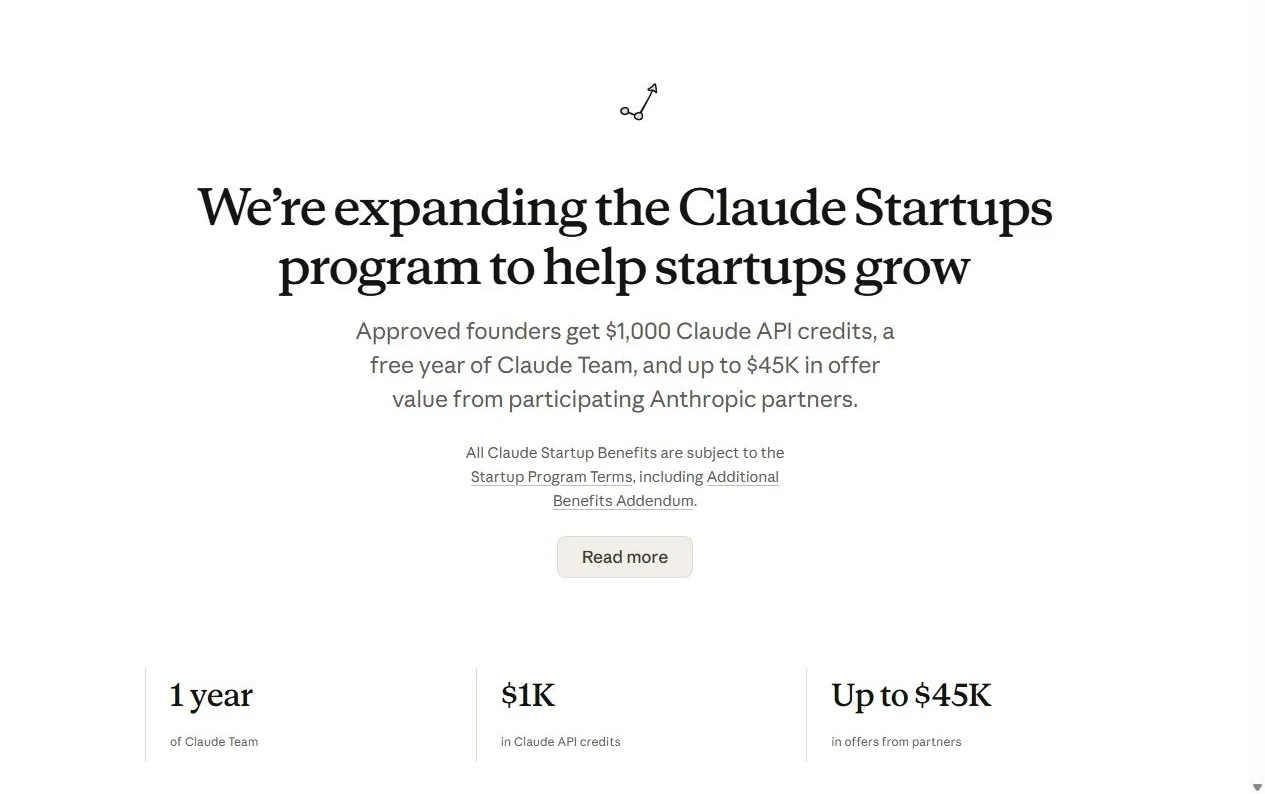
Claude for Startups now gives eligible founders a free year of Claude Team. That is up to five Premium seats for companies new to Team, $1,000 in API credits with higher rate limits, and partner offers worth up to $45,000. No VC backing needed.
If another subscription has been hard to justify, this changes the maths. Approval is only the first step, though. Each benefit has its own activation, and this guide walks you through every one.
What is Claude for Startups, and what changed?
Latest change, 9 October 2026: after hundreds of thousands of applications in a few days, Anthropic temporarily paused the free Team year and the $1,000 API credit offer and is re-reviewing all applications. The rest of this section describes the 6 October expansion.
Claude for Startups is Anthropic’s program for founders building companies on Claude. Its 6 October 2026 expansion combines product access, API credit, third-party offers and technical support in one program.
The useful change is not just a bigger headline number. A small team can use Claude for everyday work, test a feature through the API, and reduce some of the cost of the tools around that feature. Those are three different benefits, with different limits and activation steps.
What can you actually claim?
Start with the two Anthropic benefits. Partner offers come afterwards, and each provider runs its own redemption process.
A free year of Claude Team
Temporarily paused since 9 October 2026
New applicants cannot claim the free year now. If you already claimed it, it stays in your account.
Companies new to Claude Team get a free year of the Team plan for up to five Premium seats. It is a shared company workspace with a seat for each person, not a personal Max subscription and not one login passed around the office.
The Team plan includes Claude Code, collaboration and central administration. A Premium seat gives five times the usage of a Standard seat and lists at $100 a month on annual billing, so five Premium seats are worth $6,000 a year. Usage limits still apply, even on a free seat.
$1,000 in Claude API credits
Temporarily paused since 9 October 2026
New applicants cannot claim the $1,000 credit now. A credit you already received stays in your account.
Every approved startup gets a one-time $1,000 credit for the first-party Claude API, available as soon as you are approved. Use it to wire up the API, test a few ideas and run early evals; our AI Leaderboard helps you pick which model to test first. These Claude startup credits expire six months after they are granted.
There is a quieter bonus too. Members who receive credits through Claude for Startups automatically get higher API rate limits, so a batch test is less likely to stall on the standard caps.
API credit and Team access are separate. If your application makes API calls, those calls use the API billing system. They do not come out of a Team seat’s chat allowance. Equally, the API credit does not turn into a Team subscription discount.
Partner offers and founder support
The Claude Startup Stack lists 16 partner offers as of 7 October 2026, each redeemed with a code in Claude Console. Members also get Applied AI office hours (45-minute live sessions every other week, booked through a link sent to members), events such as Founder House, hackathons and meetups, and the Startup Newsletter.
The expansion also adds hands-on help building a Claude Marketplace connector or plugin and submitting it for review. An approved listing puts your product in front of people across Claude’s apps.
Who is eligible for Claude for Startups?
The headline eligibility rule is straightforward: your startup must have been founded in the last five years or funded in the last two years. It is an either/or test, not a requirement to meet both.
- A startup meeting the founding or funding timeframe.
- A Claude Console account.
- A company email address matching the company website domain.
- A clear description of what the company is building.
- An application that passes the program’s review and terms.
Bootstrapped founders can apply. So can pre-seed and venture-backed companies. The ordinary application does not require a referral from a VC, and it is not restricted to companies with a large team.
For example, a company founded three years ago and never funded meets the headline timeframe. A company founded eight years ago but funded last year also meets that timeframe. Anthropic still reviews every application.
Can Indian startups apply?
Yes. India is on Anthropic’s supported-country list for Claude and commercial API access, so an eligible Indian startup applies the same way as everyone else and qualifies for the same benefits.
The public FAQ lists three requirements: a Claude Console account, a company email that matches your website’s domain and a short description of what you are building. So sign up with your company domain, not a personal Gmail, and make sure the website explains what you actually sell. A GST registration, CIN or DPIIT certificate is not on that list, but keep them handy in case a reviewer asks.
Claude for Startups video walkthrough
Recorded on 7 October 2026, before Anthropic temporarily paused the Team and $1,000 credit offers. The application and Startup Stack steps still apply.
Prefer to watch first? This 7 minute video covers who qualifies, what to prepare, every application screen with placeholder values, how to claim the Team year, the API credit and the partner offers, and the six terms worth knowing before you apply.
The application screens in the video are simplified illustrations with placeholder values. The steps below cover the same flow in writing.
How to claim Claude startup benefits in 7 steps
There are two stages: getting verified for the program, then redeeming the benefits available to your company. Keeping them separate makes the process much easier to follow.
Step 1: Check the company, email and timing
Before opening the form, confirm your company’s founding date or recent funding date. Have the website URL, company name and a short product description ready.
Check that the email domain matches the website domain. If you normally sign in with Google, use the company account connected to that domain, not an unrelated personal Gmail address. Avoid applying twice under different accounts just because the first application is still being reviewed.
Step 2: Start from the official program page
Open the Claude Startups page and choose Apply now. The current application opens at platform.claude.com/offers/startups-application.
Sign in to Claude Console, or create the company account if you do not have one. Keep this account distinct from an unrelated employer or client organisation. Where you have access to more than one organisation, make sure you are applying for the correct company.
Step 3: Complete the application accurately
Provide the information requested on the current form and explain the product plainly. Be specific about what you are building and how Claude will be used. A short, concrete explanation is better than a page of marketing language.
For example: “We are building a document-review workflow that extracts information from supplier documents, flags missing fields and sends exceptions to a human reviewer. We plan to use the Claude API for extraction and explanation, while keeping posting decisions under human control.”
Do not invent funding, usage or company details to fit the offer. Review the program terms before submitting, and let someone authorised to represent the company complete that step.
Step 4: Wait for the decision and keep the confirmation
Most applications are decided within minutes. The rest go to a manual review, which usually takes two to three business days, and you get an email as soon as there is a decision.
Watch the company inbox and spam folder for that email. If the Console shows that the organisation is verified, you can move on to the benefits area using the link shown on that screen.
Keep the confirmation for your own records, but do not publish private offer links, organisation identifiers or redemption codes.
Step 5: Activate the free Team offer separately
Temporarily paused since 9 October 2026
New applicants cannot activate the Team offer now. These steps show how it worked, in case Anthropic reopens it.
Follow the Team offer from your approval email or the program benefits page, using the account and company named in the application. The free year is for eligible companies new to Team; an existing Team organisation does not qualify for this benefit.
Complete the offer’s requested company information, then follow its activation or checkout flow. Before confirming, inspect the discount, seat type, covered seat count, billing period and any amount payable. If a card is requested, do not assume the promotion covers taxes, extra seats or other charges outside the offer.
A verified organisation or an open claim form is not an active Team subscription. After activation, confirm the workspace exists, the intended people have their own seats, and the next billing date is clear. Set a reminder well before the free period ends.
Step 6: Confirm the API credit and its expiry
Temporarily paused since 9 October 2026
New applicants cannot claim the $1,000 credit now. If you received it, the expiry checks below still matter.
Use the Claude Startups area in the approved company’s Console to redeem or access the API offer. Check the actual credit balance and the grant and expiry information before starting a large test. Approval alone is not evidence that the balance has appeared in the intended organisation.
The credit is for the first-party API, not Claude usage through AWS Bedrock, Google Vertex AI or another third-party service. Check the API organisation your product uses before assuming its requests will consume this credit.
Set a spending cap suitable for a small experiment. Record the remaining balance and expiry, and monitor usage during the first few runs. Free credit still has a limit; retries, long outputs and repeated requests can consume it surprisingly quickly.
Step 7: Redeem only the partner offers you will use
Open the offers available to your company in Claude Console. Choose a provider, review its eligibility and plan conditions, and follow the provider’s redemption instructions. Some offers are free periods, some are credits and others are discounts on a paid plan.
Check whether the offer requires an annual commitment, is limited to new customers, has a redemption deadline or renews at the normal price. Use the actual provider terms shown when redeeming; the public headline is not the whole contract.
Do not forward private codes or offer links outside your company. Keep a simple internal record of the provider, activation date, free-period end, renewal price and cancellation reminder.
All 16 publicly listed Claude Startup Stack offers
These are the offers displayed on the public program page on 7 October 2026, including the rows revealed by View more. The offer wording below is summarised for clarity. Availability, eligibility and redemption conditions remain with the providers.
| Partner | Advertised offer |
|---|---|
| Attention | 20% off the first year, with a seven-day free trial. |
| Augment Code | $100 in Cosmos credits. |
| ClickHouse | $5,000 in ClickHouse Cloud credits. |
| ElevenLabs | 12 months free plus 33 million characters. |
| Emergent | 20% off the first six months. |
| Firecrawl | 2.5 times the plan’s monthly credits for a year. |
| Gamma | 25% off the first year of an annual Gamma Pro plan. |
| Granola | Three months of Business free, for up to ten seats. |
| Hex | Six months free on the Enterprise plan. |
| Linear | Six months of Linear Business free. |
| Lovable | Four months off an annual Lovable Business plan. |
| Moda | Three months of Pro free, with up to $3,000 in AI credits. |
| Retell AI | 20% off the first six months. |
| Retool | 20% off the first year. |
| Runable | $300 in free credits plus 50% off the Max plan. |
| Viktor | Up to $1,500 free over three months. |
Notice the difference between “free” and “off.” Lovable’s offer is tied to an annual Business plan; it is not an unrestricted four-month free subscription. Firecrawl multiplies a plan’s monthly credits, rather than promising an unlimited free plan. Runable’s Max plan is its own product, not Claude Max.
For a small finance or operations team, start with the job you want done. A meeting tool may be useful immediately. A large analytics plan may only be useful once you have a real data workflow. A discount on software you would not otherwise buy is not a saving.
Is this really $7,000 plus $45,000 of value?
Temporarily paused since 9 October 2026
The Team year and the $1,000 credit that make up the $7,000 are closed to new applicants for now. The partner offers, up to $45,000, are still there for members.
The numbers describe different things, not a cash payment.
The advertised up to $7,000 in Claude products and credits is based on five Premium Team seats at $100 per seat per month when billed annually, plus the one-time $1,000 API credit:
Add the $1,000 API credit, and the advertised maximum becomes $7,000. The Team portion depends on the number and type of covered seats.
The up to $45,000 figure is the combined maximum of partner offers at partner list prices as of September 2026. Your actual benefit depends on which offers you can redeem, the relevant plans and your team size. A company may not be able to receive or combine every offer.
We would not describe this as “$52,000 free money.” It is access, credits and discounts. The useful number for your own business is the cost of the eligible tools you would genuinely have paid for, minus any costs needed to use them.
What about up to $100,000 in API credits?
Startups backed by a VC in Anthropic’s partner network can get up to $100,000 in additional API credits, claimed through their VC. It is a separate route with its own conditions.
Everyone else gets the standard $1,000, so plan your first tests around that amount.
Team access versus API credit, explained simply
Think of Team access as giving your colleagues a place to work with Claude. Think of API credit as funding the Claude requests made by software you build.
| Your task | Where the benefit helps |
|---|---|
| Review a spreadsheet or draft an SOP | A person works in the Team workspace, subject to the plan’s included usage. |
| Build an invoice extraction feature | Your application makes first-party API requests. Eligible credit covers API usage until exhausted or expired. |
| Use Claude through a cloud provider | AWS Bedrock and Google Vertex AI billing do not use this first-party startup credit. |
| Try a partner product | That provider applies its own offer, account rules and usage limits. |
Neither a paid seat nor a promotional credit makes a model’s answers correct by default. For finance work, keep source documents, reconciliation checks and reviewer approval in the process. Our Claude Sonnet 5.5 guide explains practical model choices, while the prepaid expense schedule shows the sort of formula-led workflow where a spreadsheet should remain the source of calculation.
How we would use the offer at ReconScribe
We would start with a small, repeatable workflow rather than a long list of experiments. The free period should make a useful process cheaper to test, not create a reason to connect every company system at once.
- For finance and accounting: use Team to draft working notes, check whether an SOP misses a step, explain a formula or organise a review checklist. Our 20 tested AI prompts for accounting make a good first set, and our Claude for finance and accounting guide covers the setup. Keep arithmetic and accounting decisions independently checked.
- For a product prototype: use a bounded set of synthetic documents to evaluate API extraction or classification. Record the correct answer before running the test, then compare errors, cost and reviewer time.
- For development: use the available coding tools to create tests, inspect a proposed change and document the workflow. Review the change and test it before deployment.
- For partner perks: pick one or two tools that support the workflow. Do not migrate a production process simply because another plan is temporarily free.
For document processing, the structured decisions discussed in our Jev and TypeSafe guide are a useful way to think about confidence, missing information and human review. Promotional access does not remove those design choices.
A practical first-month plan
Week one: confirm the workspace, credit balance and expiry dates. Invite only the intended team members and agree which information may be used.
Week two: test one workflow using non-sensitive sample data. Keep a record of the starting files, expected results and any manual corrections.
Week three: compare the time saved with the time spent checking outputs. Examine a few failure cases, not just the best result.
Week four: decide whether to expand, change the approach or stop. Make that decision while the credit is available, not a week before it expires.
Credit expiry, billing and renewal checks
The API credit lasts six months from grant, while the Team benefit is a year of eligible subscription access. Those clocks are different. Save both dates when the benefits become available.
Before activating any paid-plan offer, check the checkout summary and renewal terms. If the final screen shows a charge you did not expect, pause. Confirm what the promotion covers rather than assuming the word “free” applies to everything in the basket.
- Company and organisation receiving the benefit.
- Covered plan, seat type and seat count.
- Credit balance, grant date and expiry.
- Any amount due now, including uncovered charges.
- Renewal date, normal price and cancellation route.
- Extra usage settings and spending controls.
- Internal owner responsible for checking these dates.
A sensible reminder schedule is 30 days and seven days before a free period ends. If you will not keep the product at its normal price, cancel in accordance with its terms rather than waiting for an unexpected invoice.
Already using Claude, or not seeing an offer?
Since 9 October 2026 the Team and $1,000 credit offers are temporarily paused for new applicants, so not seeing them is expected. Anthropic says offers already claimed stay in your account, and it will re-review all applications.
You already have Claude Team
Only organisations new to Team qualify for the free year. Every approved company still gets the $1,000 API credit, and each Startup Stack offer has its own conditions, so check the offers shown for your company in Claude Console.
You already belong to the startup program
Existing members do not need to reapply. Sign in to the Claude Startups area in Claude Console and redeem the new offers there.
Your email or organisation does not match
Check that the signed-in email is the company’s email and that the company domain matches the website. Check the intended Console organisation before asking for a missing credit. Do not share passwords or move API keys into a colleague’s account to work around an account mismatch.
The Console says verified, but the subscription is not active
This is exactly why the guide separates verification from redemption. Follow the relevant product offer and complete its own activation steps. For a billing or eligibility problem, contact Anthropic through the support route shown in your account. Include the problem and expected benefit privately, not the full offer code in a public post.
The terms founders should read before claiming
The program terms and the Additional Benefits Addendum cover more than the headline offer. Partner services operate under their own terms and privacy policies, and Anthropic does not guarantee their performance or fulfilment.
Private codes and links are for the company receiving them. They are not material for a public tutorial, a resale listing or a shared coupon collection. This guide uses public offer descriptions, not private redemption codes.
Read section 2.4 of the addendum, “Residuals”, before office hours. In plain words: Anthropic may use general ideas and know-how that its staff remember from your confidential information, and it may build similar or competing technology. The clause gives no licence to your patents or copyrights and does not let Anthropic disclose the confidential information itself.
Our practical advice is to describe the business honestly without volunteering trade secrets, customer records or unnecessary confidential files. Start office-hour discussions with the technical problem and use synthetic examples where possible. Check the relevant product’s data terms before sharing sensitive information.
ReconScribe’s view: is it worth applying?
If your startup will actually use Claude, applying is still worth it, but for less than before. With the Team year and the $1,000 credit temporarily paused, membership now means the partner offers, Applied AI office hours and founder events. Partner offers are a bonus, not the reason to buy software you do not need. Watch the program page for news on the Team and credit offers.
The best outcome is not claiming the largest number of offers. It is leaving the free period with one or two workflows that save time, have sensible controls and still make financial sense at the normal price.
Building on Cloudflare as well? Our Cloudflare for Startups guide walks through the real application screen by screen, with up to $350,000 in credits and $10,000 for bootstrapped founders.
Bonus: monthly API credits on Max and Team plans
From 7 October 2026, Claude Max and Team plans also come with a monthly Claude Platform API credit. It works with any Claude model, including Haiku 5.5, in your own code or in third-party tools that call the API. Anthropic is rolling it out over a few days, and the full terms are in the Claude Help Center.
| Plan | Monthly API credit |
|---|---|
| Max 5x | $100 |
| Max 20x | $200 |
| Team, Standard seat | $20 per seat |
| Team, Premium seat | $100 per seat |
| Discounted Team plans (Nonprofit, Scientists) | $20 per Standard seat and $100 per Premium seat |
On Team plans, the seat credits go into one shared monthly balance, capped at $500. A team with three Standard seats and two Premium seats gets $260 a month, and the pool follows the seat count each month. Free, Pro and Enterprise plans are not eligible.
What it means for a Claude for Startups Team
The startup program’s free Team year covers up to five Premium seats, and five Premium seats would reach the full $500 monthly cap. The help center lists Team plans, including discounted Team plans, as eligible, but it does not name the startup program’s free year on its own. Look for the API credits section under Organization settings, then Billing, once your Team plan has been active for seven days. If the offer is there, it is a separate monthly credit, alongside the one-time $1,000 startup API credit.
How to claim the monthly credit
Step 1: Open Billing on claude.ai
On a Team plan, a Primary Owner or Owner opens Organization settings, then Billing. On Max, the subscriber opens Settings, then Billing.
Step 2: Select Link organization
In the API credits section, select Link organization. Then choose the Claude Console organization that should receive the credit, or create one in the same flow.
Step 3: Accept the terms and start building
Review the Supplemental Credit Terms and confirm. The credit appears in that organization’s balance, ready to use. No card is needed.
You need the Owner, Admin or Billing role in the Console organization. You can link only one Console organization, and only support can change it later, so pick the one you build in. Signing in to the Console with the same email as claude.ai avoids most linking errors.
What the credit covers, and what it does not
| Works with the credit | Not covered |
|---|---|
| The Claude API (Messages and Message Batches) | Interactive Claude Code in the terminal, IDE, desktop or web |
| The Playground in Claude Console | Extra usage in Claude, Claude Code or Claude Cowork |
| Claude Managed Agents | Claude on Amazon Bedrock, Google Cloud Vertex AI or Microsoft Foundry |
The Claude Agent SDK, and claude -p run with an API key from the linked organization |
Claude Code runs started by the GitHub Action, an IDE extension or the desktop app |
- New credit arrives each billing cycle, and unused credit expires at the end of it.
- It is spent before any credit you bought, and nothing is ever charged to your Claude plan.
- Everyone with an API key in the linked organization shares the balance. Set workspace spend limits in the Console to control it.
- When it runs out, API requests stop until the next credit, unless the organization has bought credit or turned on auto-reload.
- A Console organization linked to a Team plan moves to at least the Build usage tier, so the full $500 fits under its spend limit (help center).
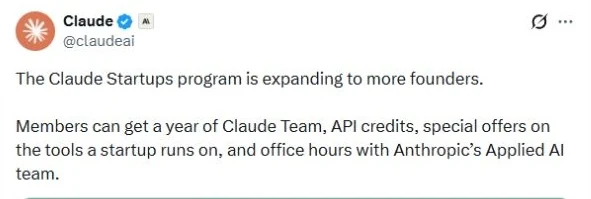
Anthropic announced the credit in a ClaudeDevs post on X. For startups, it turns the Team plan into a small monthly API budget for testing the features described above.
Claude for Startups FAQs
Is the free Claude Team and $1,000 API credit offer still available?
Not for now. Anthropic has temporarily paused both for new applicants: as of 9 October 2026 it says it is over capacity on both offers after hundreds of thousands of applications, and it will re-review every application. There is no restart date yet. If you already claimed the offers, they stay in your account. Members keep the Startup Stack partner offers, Applied AI office hours and events.
Is Claude for Startups free?
Applying is free. Anthropic has temporarily paused the free year of Claude Team and the $1,000 API credit (as of 9 October 2026); offers already claimed stay in members' accounts. Members still get the Startup Stack partner offers, a mix of free periods, credits and discounts on paid plans.
How much API credit does the ordinary program offer?
The ordinary award was a one-time $1,000 in first-party Claude API credits, temporarily paused for new applicants as of 9 October 2026. A separate route through Anthropic's partner-network VCs can offer up to $100,000, subject to its own eligibility and referral process.
Can a bootstrapped startup or an Indian startup apply?
Yes to both. The program is open to bootstrapped, pre-seed and venture-backed startups, and India is on Anthropic's supported-country list. Anthropic reviews every application.
Do we need both a recent founding date and recent funding?
No. The rule Anthropic published on 6 October was founded in the last five years or funded in the last two years, and meeting either one was enough. Its page no longer shows the rule while it reshapes the program, so check it before you apply.
Does the free Team offer include five Premium seats?
Yes, up to five Premium seats for companies new to Team. Check the seat type and count on your own offer before checkout. It is a company workspace, not a personal Claude Max plan, and usage limits still apply.
When do the $1,000 API credits expire?
Six months after they are granted. Check the grant date, expiry and balance in your organisation's Claude Console.
Can the credits be used on AWS Bedrock or Google Vertex AI?
No. These startup API credits apply to the first-party Claude API, not Claude usage billed through AWS Bedrock, Google Vertex AI or another third-party platform.
Does Claude for Startups include higher API rate limits?
Yes. Members who receive API credits through the program automatically get higher Claude API rate limits.
How long does application review take?
Most decisions take minutes. Applications that go to manual review usually take two to three business days, and you get an email as soon as there is a decision.
Can existing Team customers get the free year?
No. Only organisations new to Team qualify for the free year. An approved existing Team customer still gets the $1,000 API credit and can check the Startup Stack offers in Claude Console.
Do existing startup-program members need to reapply?
No. Existing members are directed to sign in to the Claude Startups area in Console and redeem the offers available to their company.
Is the up-to-$45,000 partner offer a cash grant?
No. It is the combined advertised maximum value of independent partner offers, not a cash payment. Your company may not be eligible for every offer, and actual value depends on the plans and offers redeemed.
Do Max and Team plans get monthly API credits?
Yes, from 7 October 2026. Max 5x gets $100 a month and Max 20x gets $200. Team plans get $20 per Standard seat and $100 per Premium seat, pooled and capped at $500 a month. You claim it under Billing on claude.ai by linking a Claude Console organization.
Sources
- Claude Startups program FAQ on the temporarily paused Team and $1,000 credit offers, checked 9 October 2026, and Anthropic's notice in Claude the same day.
- Claude Startups program, eligibility, current offers and FAQs.
- Anthropic's 6 October 2026 expansion announcement and benefit valuation.
- Claude's launch announcement on X.
- Startup Program Official Terms.
- Startup Program Additional Benefits Addendum, effective 6 October 2026.
- Supplemental Credit Terms.
- Anthropic's supported countries and regions.
- Current Claude Team pricing and plan features.
- Monthly API credits for Max and Team plans, Claude Help Center.
- Claude API usage tiers for organizations linked to a Team plan.
- ClaudeDevs announcement of monthly API credits on X.